 IrisBG
IrisBG 4.5.1.23071: name links to WFO and POWO, and project types
By IrisBG Team
- whats-new
A new version of IrisBG was released on July 7th, 2023 . This software requires that you already have a valid license.
Get the latest version from our Software-page.
Note: You must install the new version on all computers you use for IrisBG.
Version: 4.5.1.23071 - date: 2023-07-07
This new version, 4.5.1.23071, replaces 4.5.1.23061 and provides an error fix for the Iris Task utility that is used by Floria and directly by a few gardens.
Version: 4.5.1.23061 - date: 2023-06-05
Taxa and Taxonomic groups screens

We have a new and improved way for you to easily verify your records’ plant names! Previously known as the LSID field, this is now labeled “Name link”. Name Link allows name checks against the data sources World Flora Online (WFO) or Plants of the Word Online (POWO) with name status (accepted/synonym) and author. A link to the name source web page will also be added.
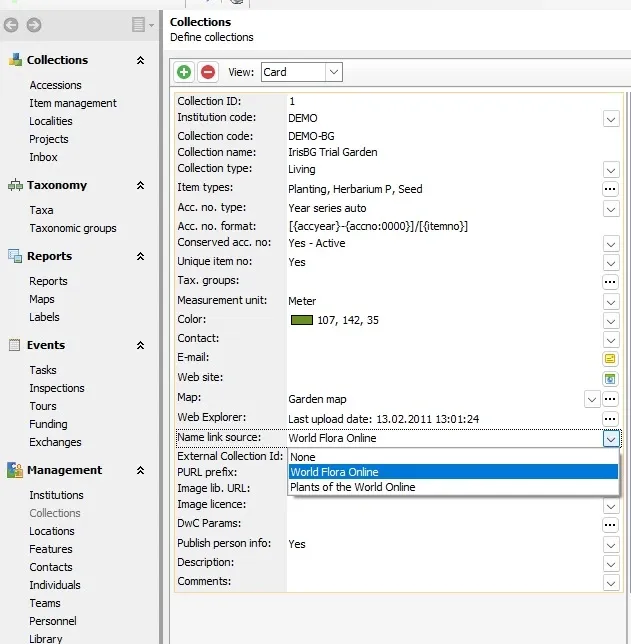
In IrisBG, WFO is the default name link source, though that can be changed to POWO by going to the the Management > Collections screen and selecting POWO in the dropdown.
Projects
Be more descriptive with about your garden’s Projects! You can now select a Project Type for your project with any of the default types. These include expedition, research and collection. If none of these types apply to your project, create your own by defining the Project type in the Definitions > Code Lists screen. Once in the Code Lists screen, expand the menu for Project type, then use the green plus sign to add a new type. Now you can select the type from the new drop down field in the Projects screen.

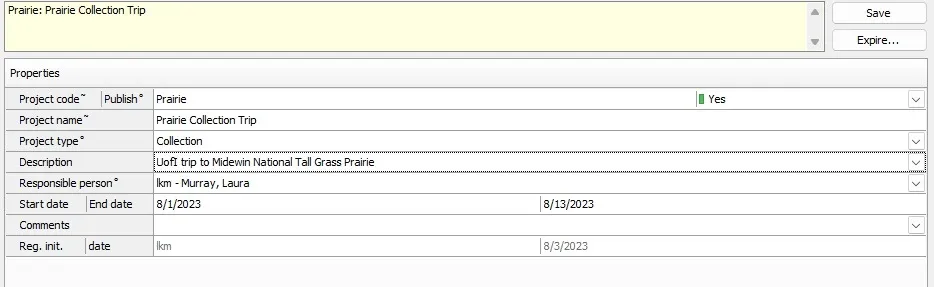
More on Projects: Provide more context for your Web Explorer and reports!
- Selecting Publish = Yes gives the option to display projects on accession records’ items details and makes it possible to search projects on your Web Explorer! page.
- When you select Publish = Yes for a project, it will also be included in your Darwin Core reports. Please note that this usage must be enabled by us; simply contact us when you are ready to make your projects public.Error fix: Expire for Projects was not working properly.
We have also updated the Accessions screen so that multiple projects can be selected for any one accession in the Project dropdown field.
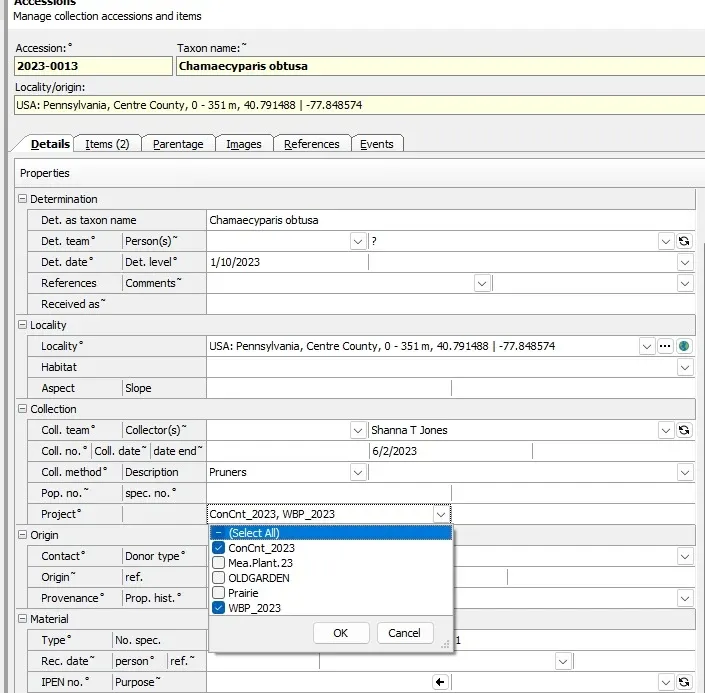
We recommend using Projects for tasks that will last some time. Examples could be collection of material from a region or country or a taxonomic revision.
How does this differ from tasks? Tasks is probably a better option for more routine assignments.
Remember: Projects must be defined in the Projects screen under the Collections menu of the navigation panel before they can be selected and attributed to records in the Accessions screen.
Events
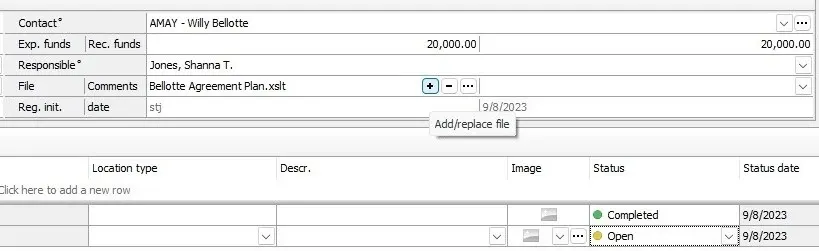
Improve your documentation filing- keep all related documents organized by specific funding event and sponsor in the Funding screen. You can now upload and store documents, like receipts and agreements with the new field, File.
Reports
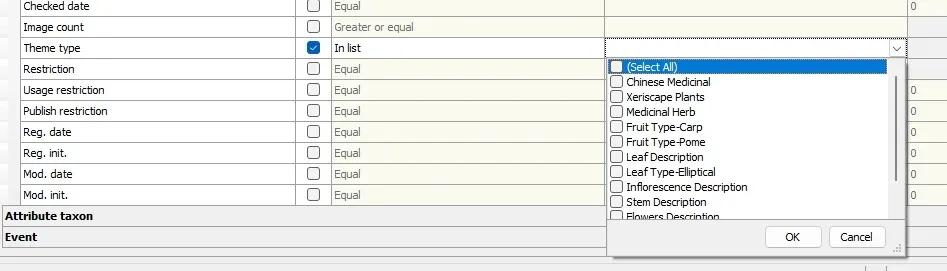
Generate a report for taxa belonging to multiple taxon theme types (instead of only one theme). Select “in list” for the Reports operator field to generate all active taxon themes.
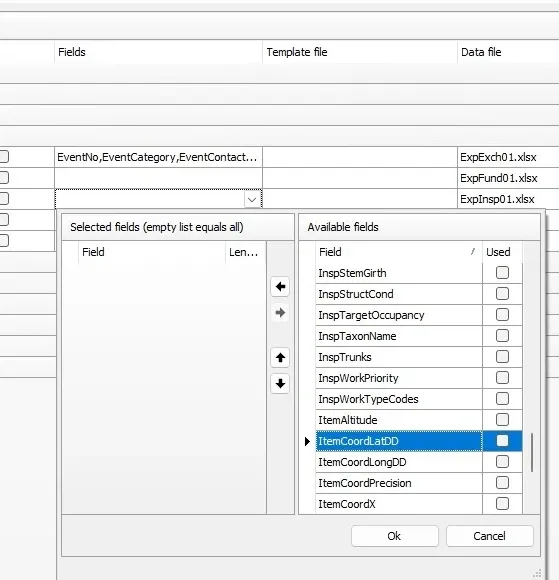
Enhance your Inspection Reports (Insp01) by including coordinates data!
To do so, go to Definitions > Report types > 04Events and select ItemCoorLatDD & ItemCordLongDD from the Available Fields section for the Insp01 report.
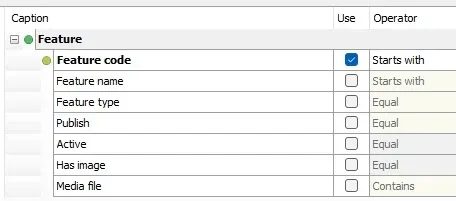
Several new selection criteria have been added for the Feature01 features report.
Other Report updates:
For Accession and Item reports, Received date and initials have been added as selection criteria.
Version history for earlier versions
Please consult our Software-page for an overview of previous version’s history.