 IrisBG
IrisBG 4.5.3.24012: GIS reports and BGCI, GBIF and PGSIP collaborations
By IrisBG Team
- whats-new
With several new features and added query options, the latest software will increase your plant-recording efficiency. We are excited to announce that with updates to IrisBG reports, you can now use Mobile data collection to collect and record plant data in the garden.
A new collaboration with Public Gardens as Sentinels Against Invasive Plants (PGSIP) allows you to share your expertise and findings to fuel research on invasive plant species in your region.
Read all of this and much more below.
🌱 Download and install the latest version from our Software-page.
- Please ensure that you install the new version on all computers used for IrisBG.
- This software requires that you already have a valid license.
Version: 4.5.3.24012 - date: 2024-01-18
The update to this version provides an error fix for Reports: The genus field was empty.
Version: 4.5.3.24012 - date: 2024-01-15
This new version, 4.5.3.24012, replaces 4.5.3.24011 and provides an error fix for the for Reports and Advanced search: Tax. group name now works properly for operator “In list”.
Version: 4.5.3.24011 - date: 2024-01-08
Accessions & Item management screen
Taxon themes have been added to Advanced search as a query selection for both Accessions and Item Management screens.
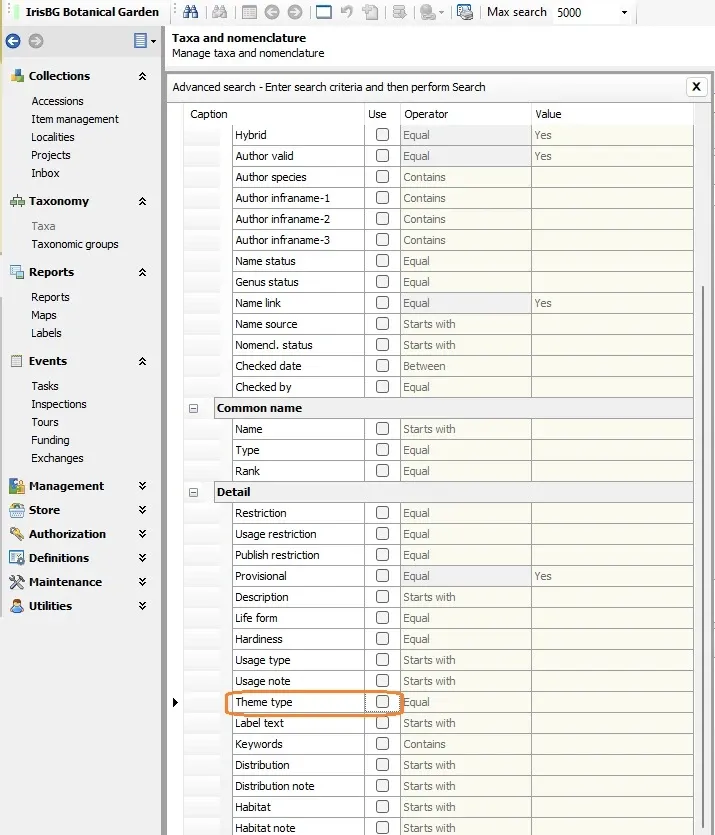
Item management screen
Two options have been added to the Comment field in the Item Management screen: append and replace.
Have you ever had the need to replace comments for multiple items? You now have the option add to existing comments or replace existing comments in one bulk operation. Append is the default option. Simply click the Comment field dropdown to select (replace).
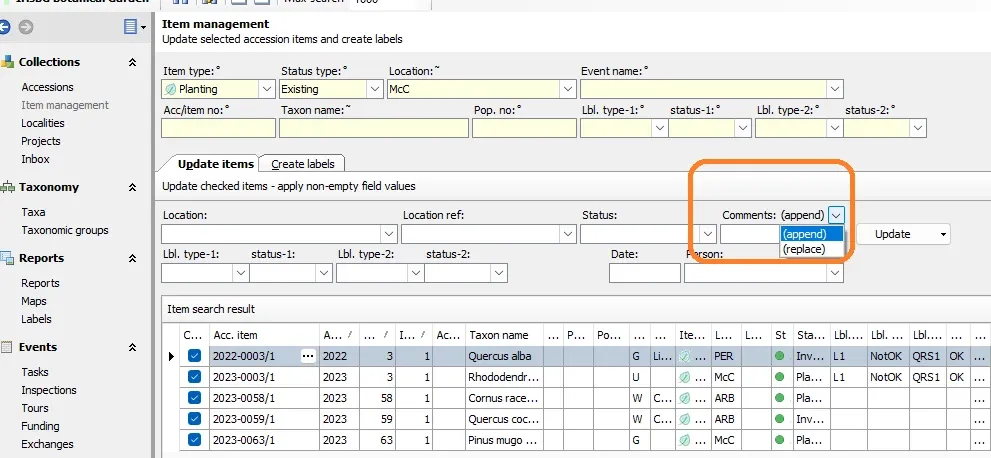
Screenshot of IrisBG Item management screen.
Data Import
It is now possible to update Taxonomic Groups fields using Data import.
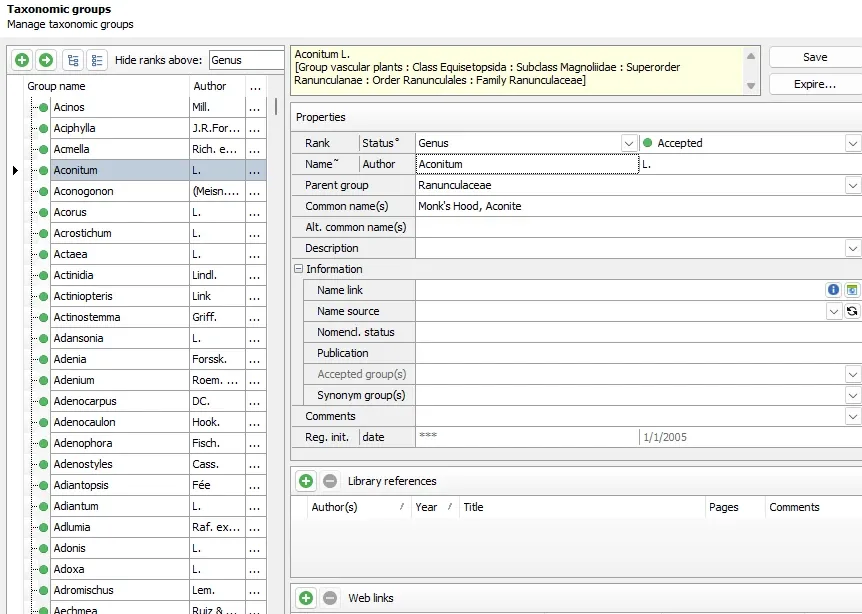
Screenshot of IrisBG Taxonomic groups screen.
The following fields can now be updated using Data import:
- GenusAuthor
- GenusDescr
- GenusCommonName
- GenusAltCommonName
- GenusNameSource
🌱Below is an example template for updating Taxonomic Groups fields. (U = Update)
| Action | Genus* | GenusCommonName |
|---|---|---|
| U | Aconitum | Monk’s Hood, Aconite |
*Please note that Genus name must exist and have Status = Accepted or Status = Unknown. The genus name cannot be changed.
Tasks Screen
You can now select multiple entries for deletion in the Tasks screen.
This update allows a better streamlining experience when working in the Tasks screen. Instead of deleting line items one-by-one, you can now choose multiple task entries for deletion! Just press and hold your keyboard’s Shift key while selecting.

IrisBG Task screen, selecting many entries for a bulk deletion.
Reports screen
Accessions Report
Two reports for export of files have been added (AccFile01 and AccFile02).
A feature request from an IrisBG user, you can now export digital files that have been uploaded to the database and stored in the Accessions: References tab.
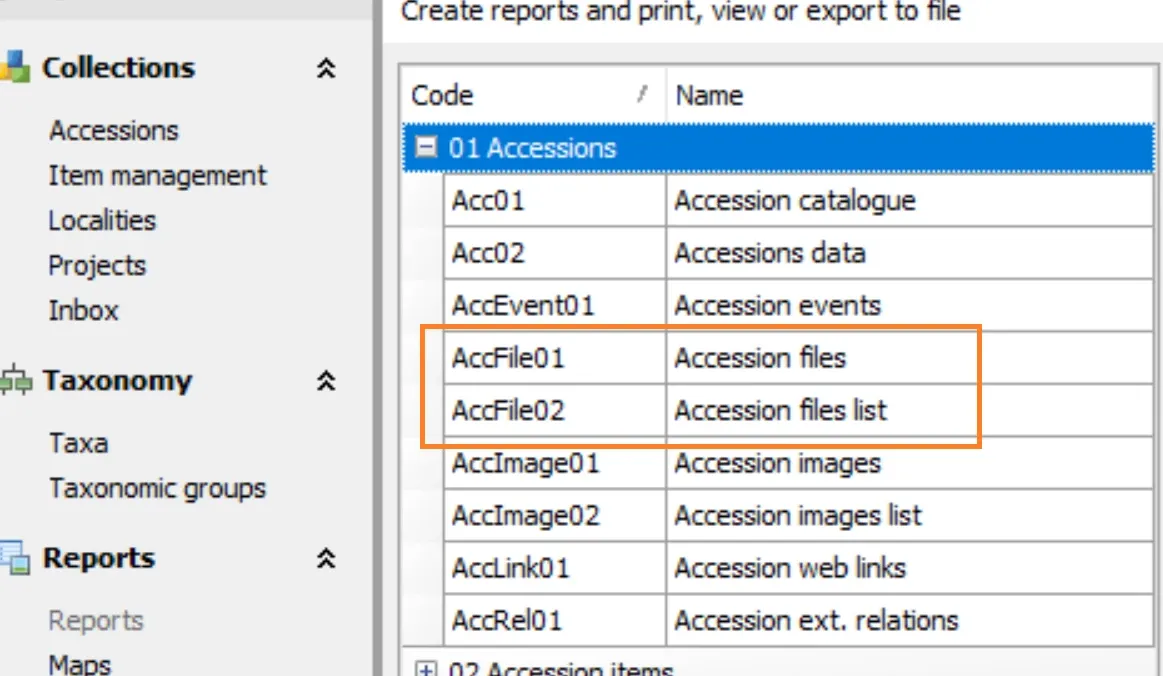
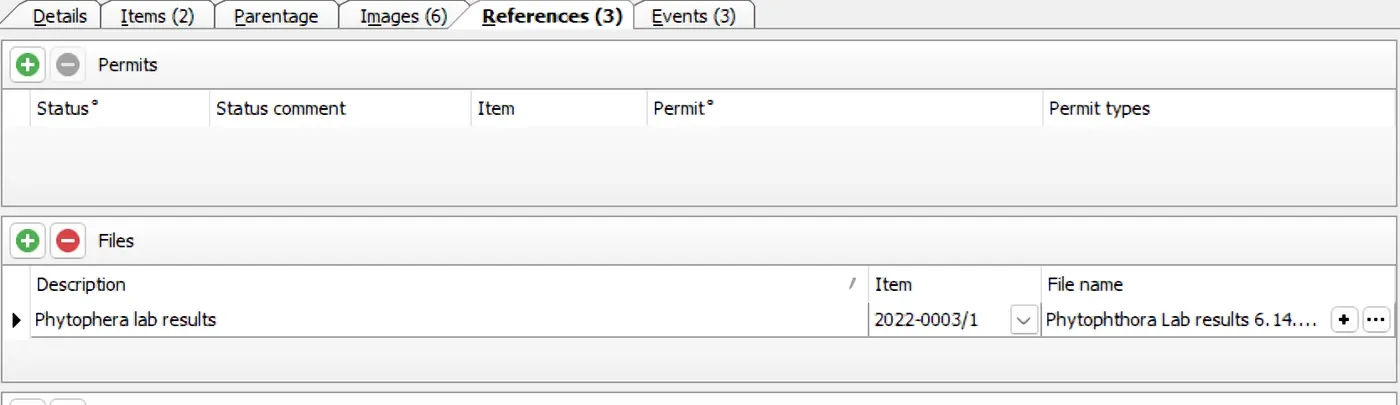
Screenshot of IrisBG Accession References tab with an uploaded file.
Accession items Report
Stem diameter is now a selection option for many reports within the 02 Accession items section.
Ever needed to generate a report on all accessions with a Stem diameter (e.g., standard DBH)? How about all Accessions that do not have a stem diameter recorded?
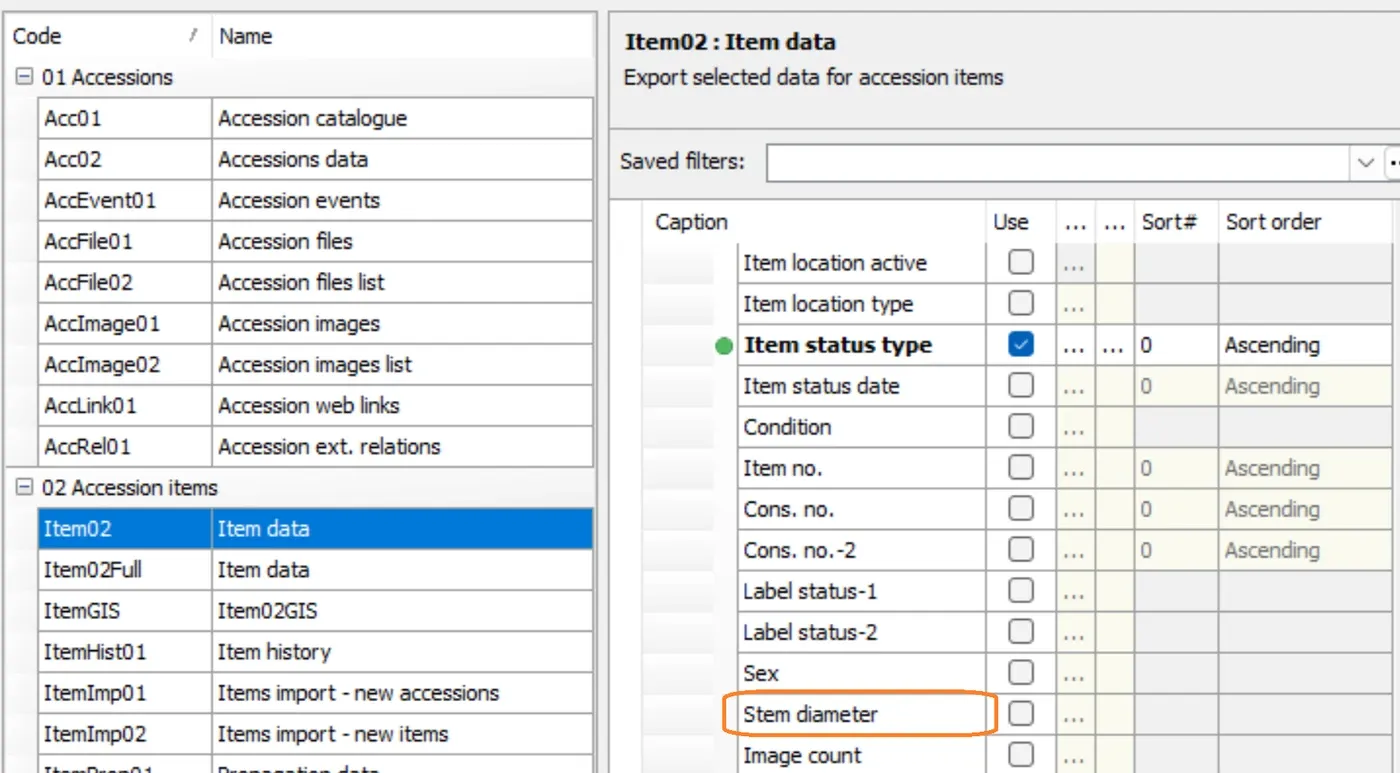
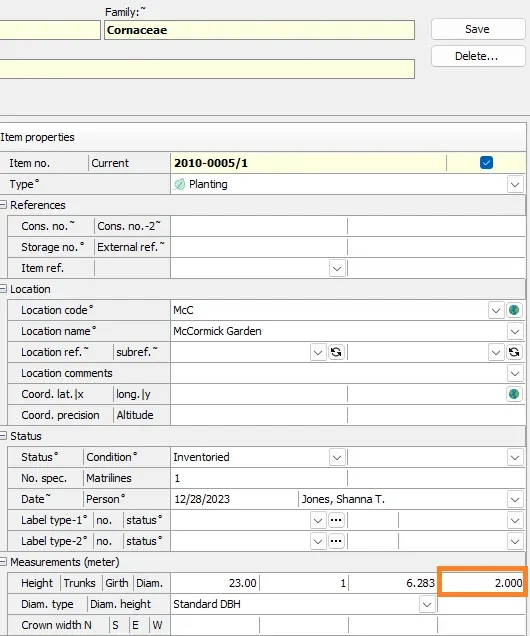
💡 The Stem diameter field is located in the Accession Items tab: Measurements group of fields, as shown in the image to the left.
Taxa Reports
Two reports for the export of files have been added (TaxFiles01 and TaxFile02).
In addition to exporting Accession digital files, you can now also export digital files that have been uploaded to the Taxa: References tab.
Statistics Reports
It is now possible to query the database for Label Status in the SumAcc01 and SumItem01 reports.
💡Be sure to add LabelStatus fields in Definitions > Reports types: Statistics.
For instance:
- get counts for various label types.
- get counts for accessions that have labels or do not have labels.
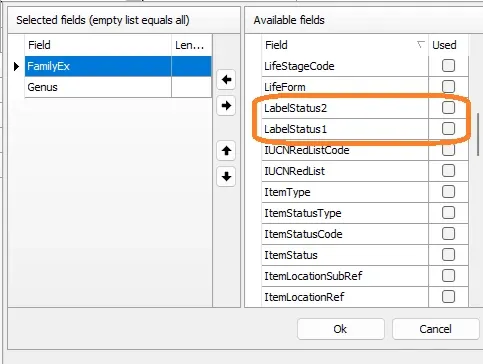
GIS Reports: NEW!
For exporting to GIS and facilitating mobile data collection, we have added two new GIS reports. These reports are designed to be used with the IrisBG - ArcGIS Template or for use with Google Sheets. The tutorials for the IrisBG - ArcGIS Template and Google Sheets will be published in February 2024.
- CodeGIS
- Item02GIS
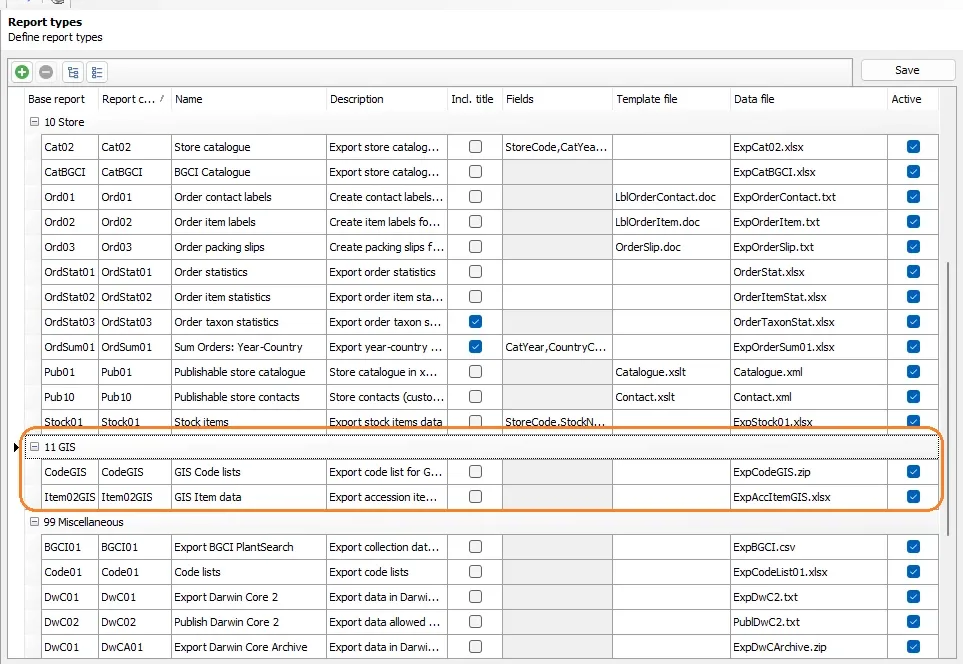
IrisBG Report types screen
🌱 CodeGIS is a zip file. Item02GIS is an .xlsx file.
- Select CodeGIS or Item02GIS.
- Click Export.
- Save the exported zip file or xlsx file to your device.

IrisBG Reports screen, selecting reports & exporting.
And additional fields have been made available for many more reports!
Reports and Advanced search
You can now query by genera in the Tax. group rank field in Reports and Advanced Search.
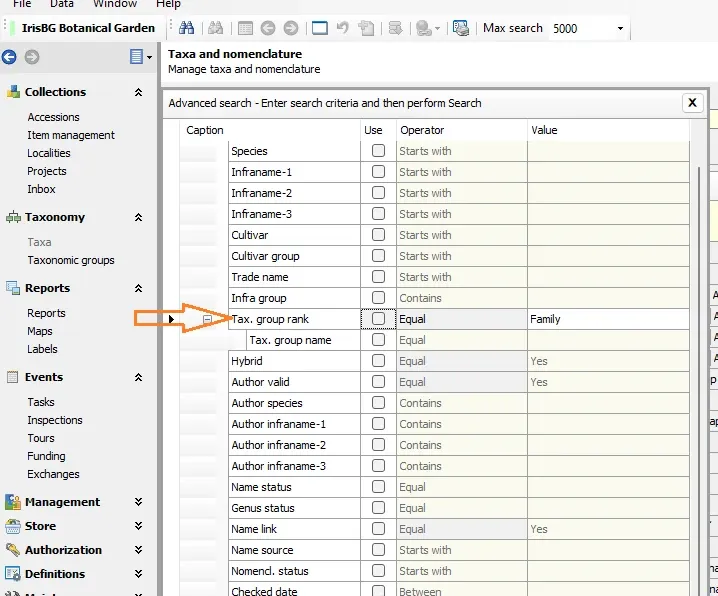
Advanced search in the Accessions screen.
Collaborations
Reports: BGCI Plantsearch & Index Seminum
- The IrisBG report, BGCI01 has been revised for uploading to the newest version of BGCI Plantsearch.
- Store Reports: Export your seed catalog to the BGCI Index Seminum portal for responsible seed exchange.
Use the report, CatBGCI under the Store Report menu
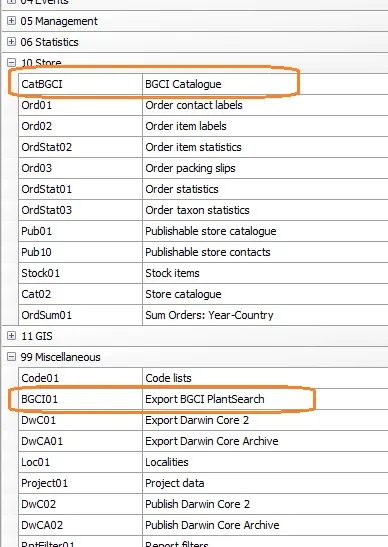
🌱 Please note the following:
- This is a one-way upload. As of this article’s date, the BGCI portal has not enabled export of orders back to IrisBG.
- For those who wish to share their seed catalogue on the BGCI Index Seminum portal, the IrisBG Store module is required. Get in touch (support@irisbg.com) if you are interested!
New fields have been added to the DwC reports for GBIF (Global Biodiversity Information Facility)
| Darwin Core fields | Corresponding IrisBG Fields |
|---|---|
| DwC.otherCatalogNumbers | Item.StorageNo | Item.ConsNo | Item.ConsNo2 |
| DwC.habitat | Accession.Habitat |
| DwC.occuranceRemarks | Accession.CollDescr |
🌱 Learn about GBIF- an international network and data infrastructure, aimed at providing open access to data about all types of lifeforms- and contribute your findings.
Add-on: PGSIP (Public Gardens as Sentinels against Invasive Plants)
Share your expertise and observations! Export your data on invasive plant material and help PGSIP assess non-native plants that exhibit invasive tendencies.
We are delighted to help our users support PGSIP’s initiative. With our new install package, you can add the custom attributes and code list necessary for uploading your data to the PGSIP database. The PGSIP report is already in IrisBG and will only become visible when PGSIP add-on is installed.
How to install the PGSIP add-on:
- Ensure the latest version of IrisBG is installed.
- Download https://irisbg.com/setup/Add_PGSIP.xql
- Open and run the file in IrisBG > File menu > Update database.
- Restart IrisBG.
The installation will create:
- Custom attributes prefixed with PGSIP
- 2 for Accessions
- 2 for Taxa
The report PGSIP01 - Export to PGSIP in Reports > 99 Miscellaneous. For an accession to be included in the report, all four custom attributes must be entered.
🌱Note that data from the report must be entered manually in the PGSIP portal: http://pgsip.mortonarb.org/Bol/pgsip)