 IrisBG
IrisBG 4.5.4.24041: faster taxon reports and wider report criteria
By IrisBG Team
- whats-new
We have many improvements to share with you in version 4.5.4.2401. More fields and options have been added to the IrisBG query builder. This allows you to create more robust reports than ever before.
Improvements to the new GIS Reports have further developed and automated the IrisBG - ArcGIS Beta Sync*.
Our new updates also help you work more efficiently: Create labels based on Taxon life form and, for select Event types, upload many images at once.
Read all the details and see images for the Report screen and Report types, Labeling, and Data import below.
🌱 Download and install the latest version from our Software-page.
- Please ensure that you install the new version on all computers used for IrisBG.
- This software requires that you already have a valid license.
*A huge thank you to these participating gardens currently training and testing.
United States
- Albuquerque BioPark Botanic Garden
- Ambler Arboretum of Temple University
- Cheekwood Estate and Gardens
- Descanso Gardens
- Filoli
- Fort Worth Botanic Garden
- Houston Botanic Gardens
- Hoyt Arboretum
- Lewis Ginter Botanical Garden
- Newfields
- Norfolk Botanical Garden
- Northeastern University
- State Botanical Garden of Georgia
- The Arboretum at Penn State
- The Dawes Arboretum
- UC Davis Arboretum and Public Garden
United Kingdom
- The National Trust
- Ness Botanic Garden
- Royal Botanic Garden Edinburgh
Australia
- Mackay Regional Botanic Gardens
Reports screen
Accession Item Reports
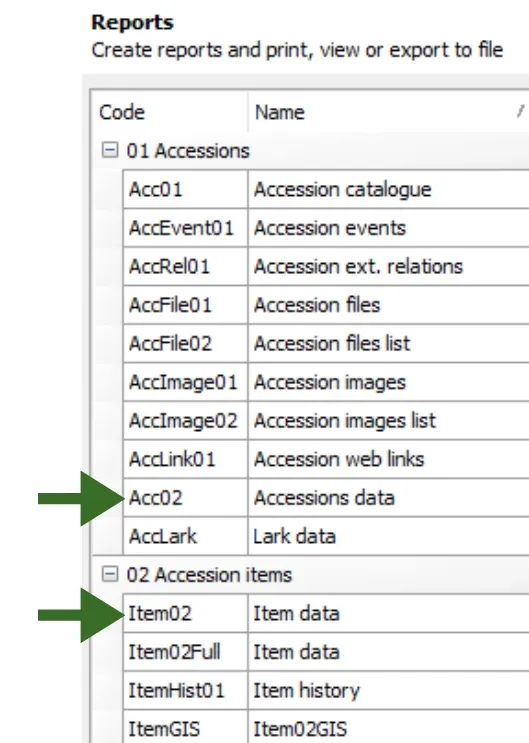
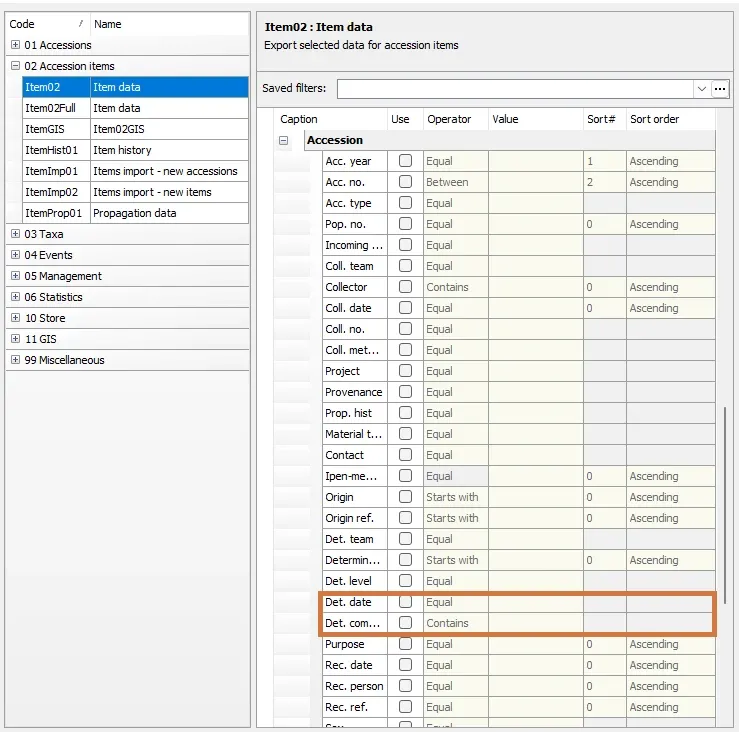
We have added two new criteria to the Query builder for the reports, 01 Accessions: Accession data (Acc02), and 02 Accession Items: Item data: Determination date and Determination comment.
“Determination” refers to the accepted name when an accession was first entered into the database.
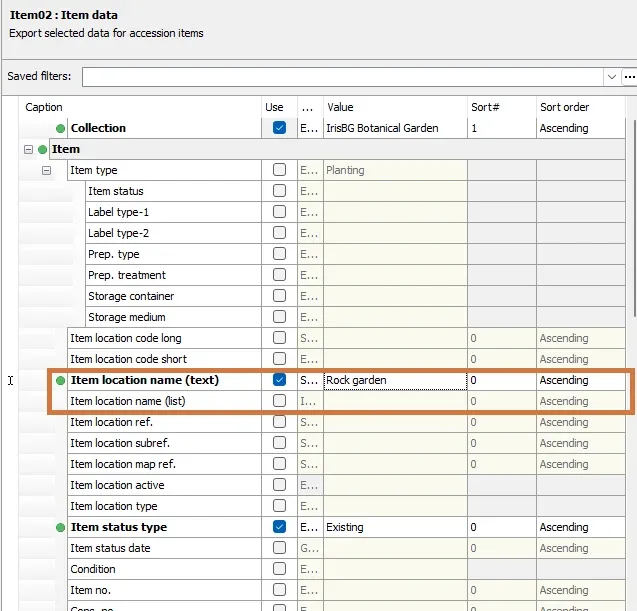
Item Location name (text) and Item location name (list) have been added to the Query builder for reports 01 Accessions: Accession data (Acc02), and 02 Accession Items: Item data.
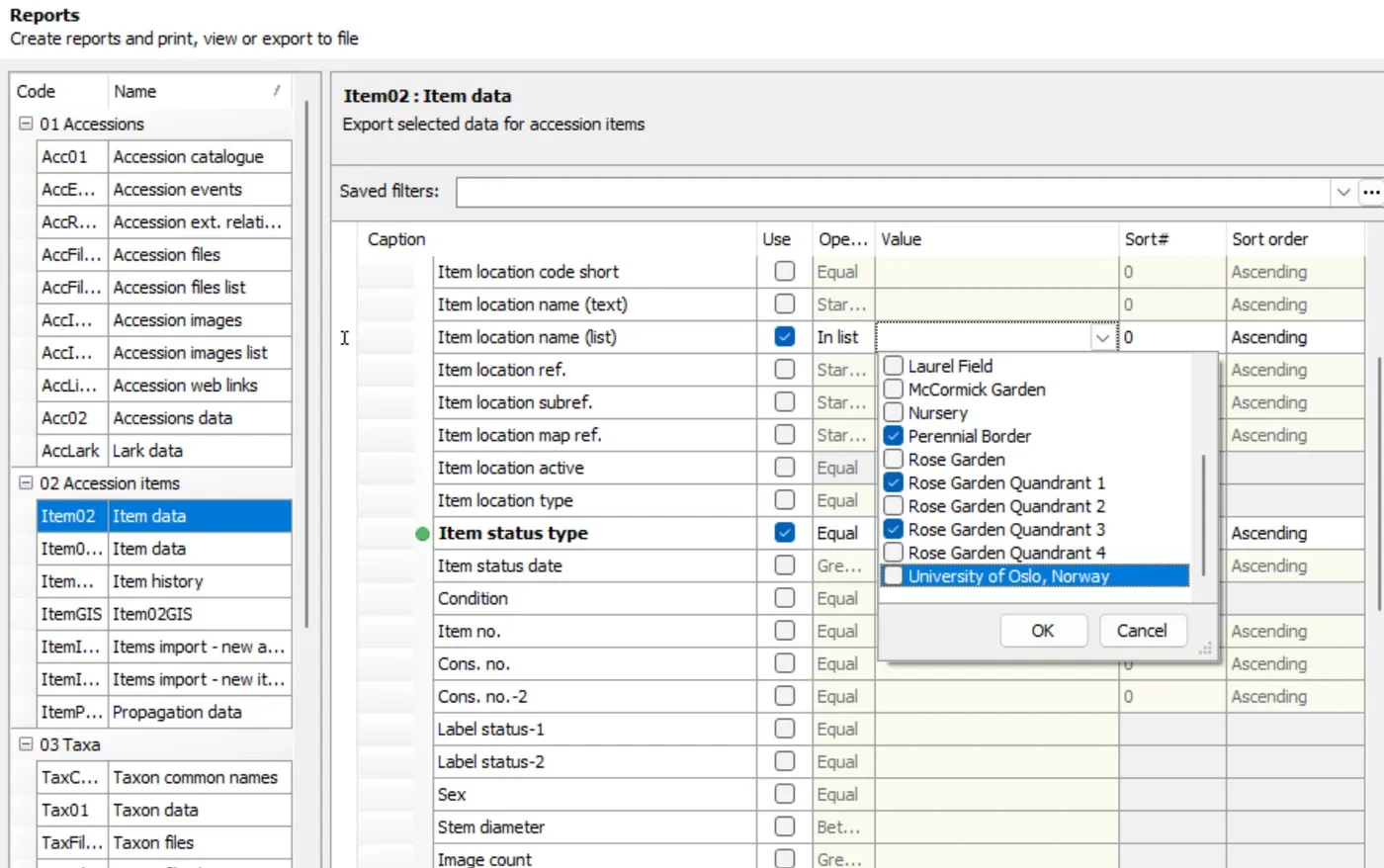
Select multiple locations to report over a wider area.
Events Reports
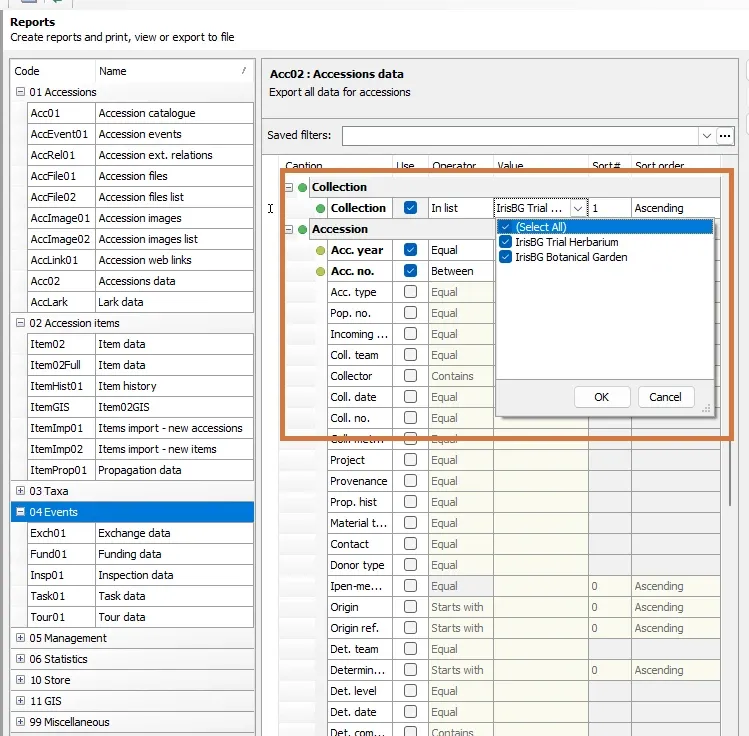
Do you exchange material from multiple collections? Now you can perform reports on Exchanges from more than one collection with the Events report, Exch01: Exchange data.
GIS Reports
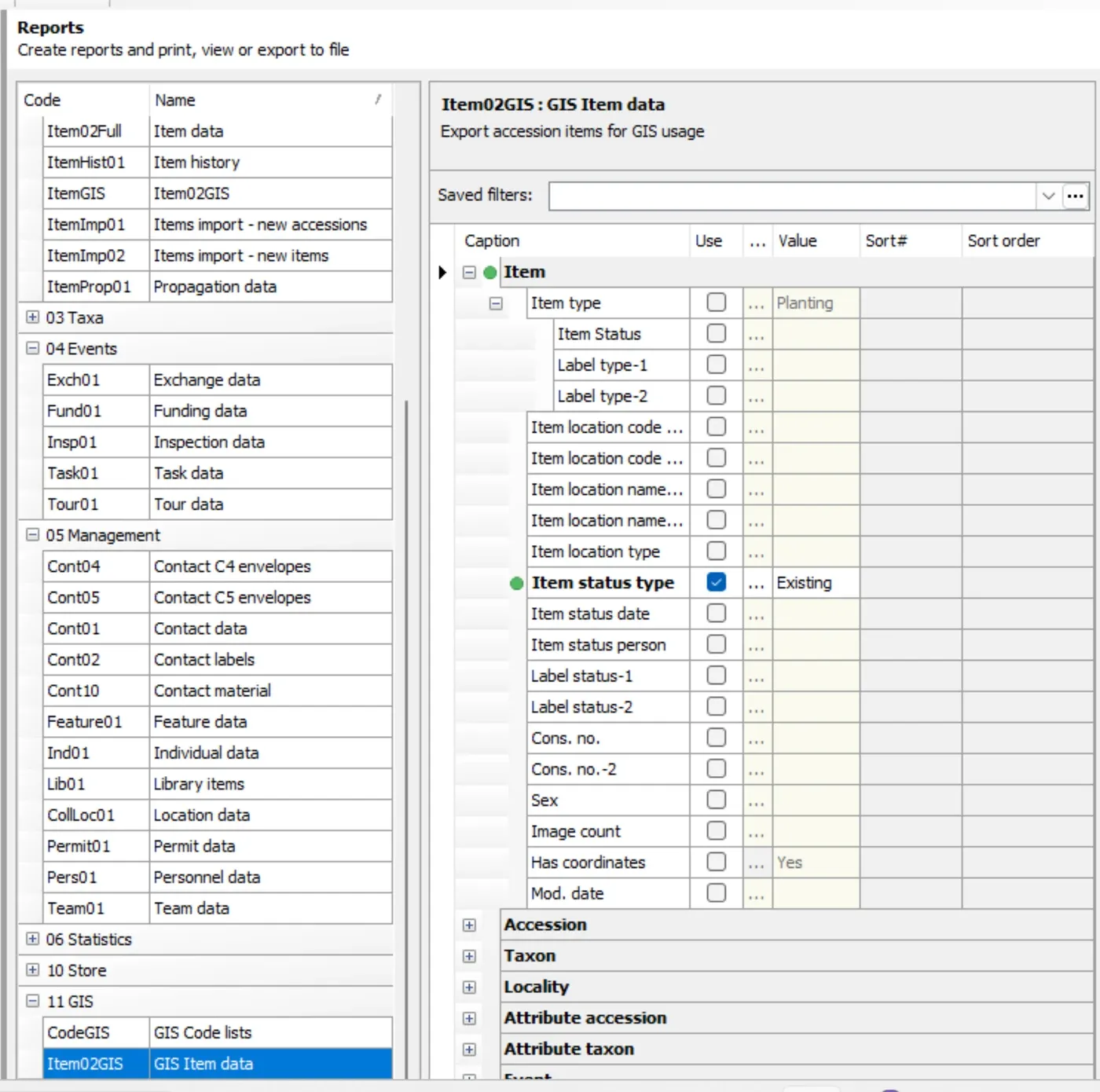
We have further enhanced the Item02GIS Report for the performance of the IrisBG - ArcGIS beta sync.
Store Reports
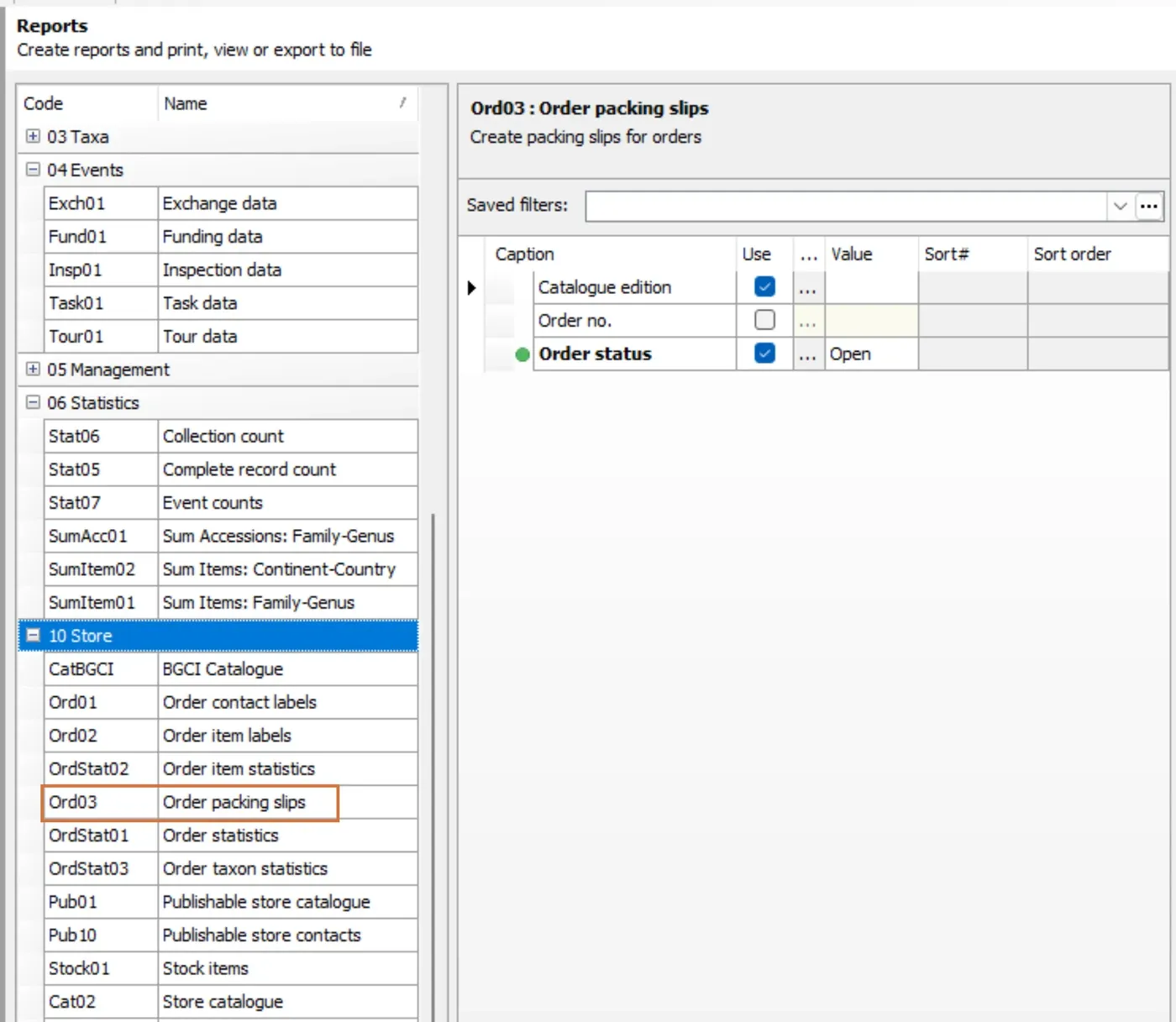
We have corrected an error related to the Report template, Ord03 - Order packing slips.
This error caused each order item to be printed on individual pages. See our recent article, Update Order packing slips template for instructions on how to correct the error in your database.
Statistics Reports
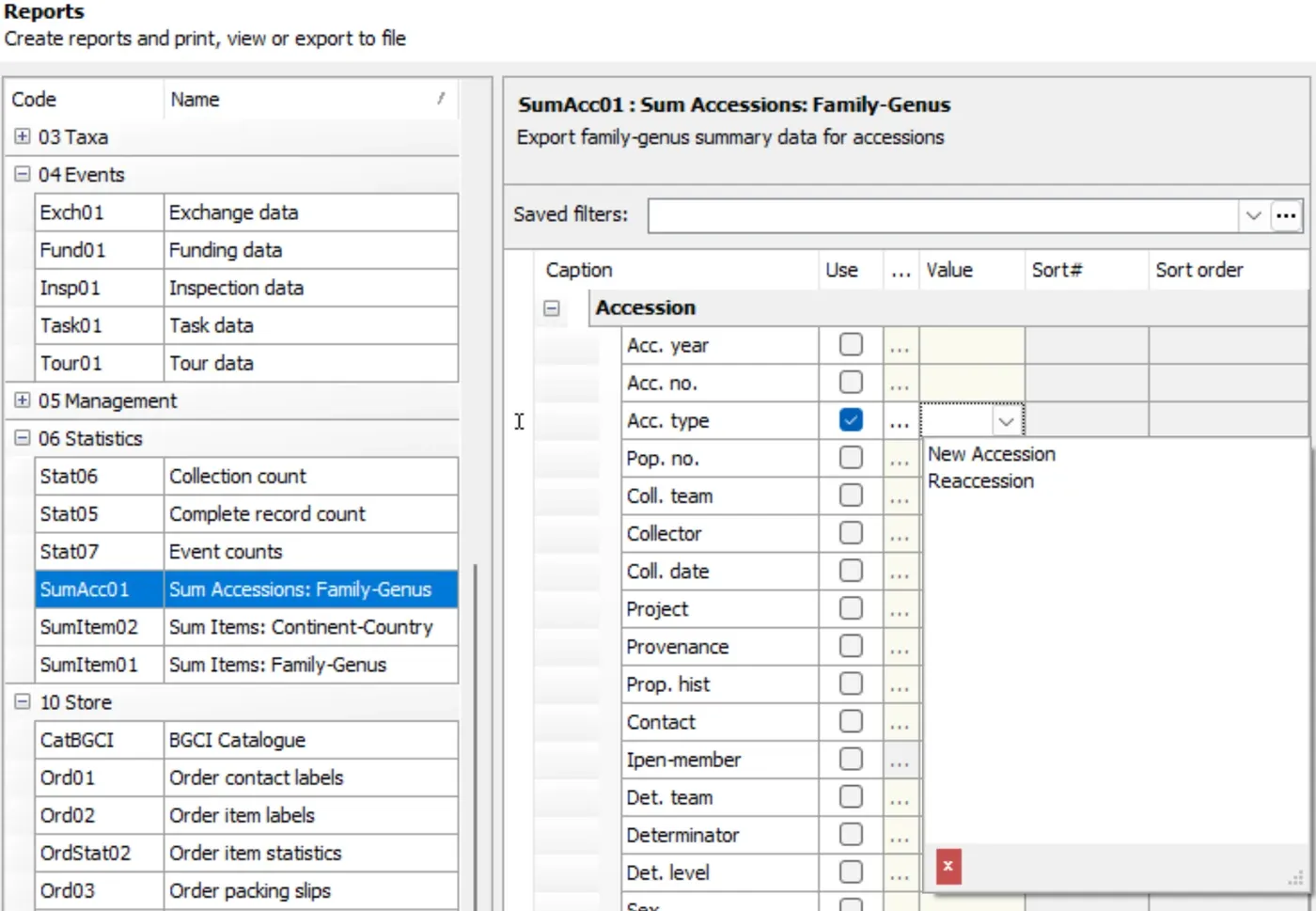
We added Acc. type (Accession type) as a selection criterion for 06 Statistics Report.
The Accession type field can be used to group or classify accessions.
Examples of a Reaccession
- any existing collection material that is repropagated by seed or vegetatively
- an accession that has been received, but not yet planted in the garden
Report Error fix
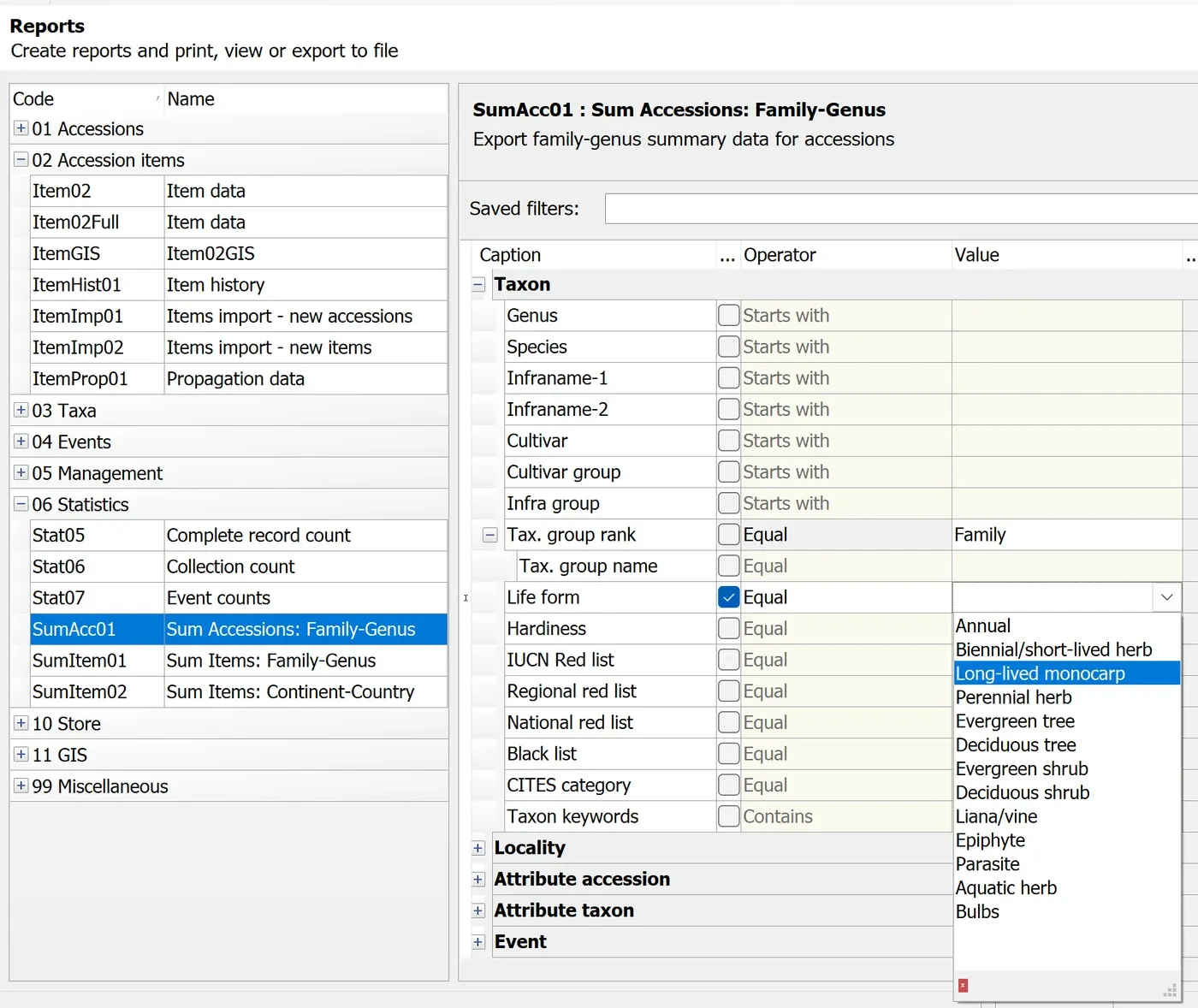
“Life form” was not working properly for the 06 Statistics Report.
Taxa Reports
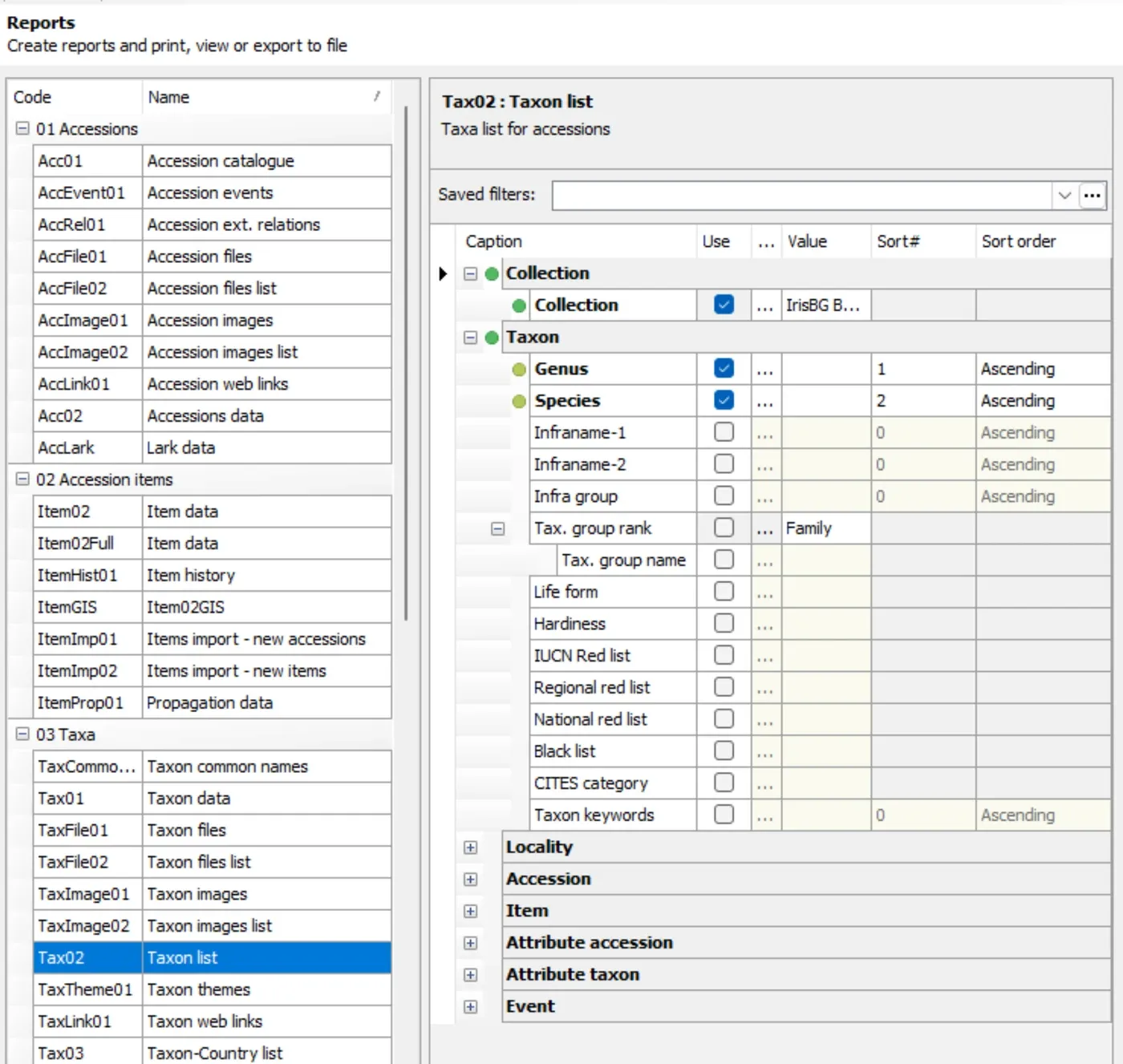
We’ve improved the performance of the Tax02-Taxon list report.
You can now run the report in seconds rather than minutes.
Report types
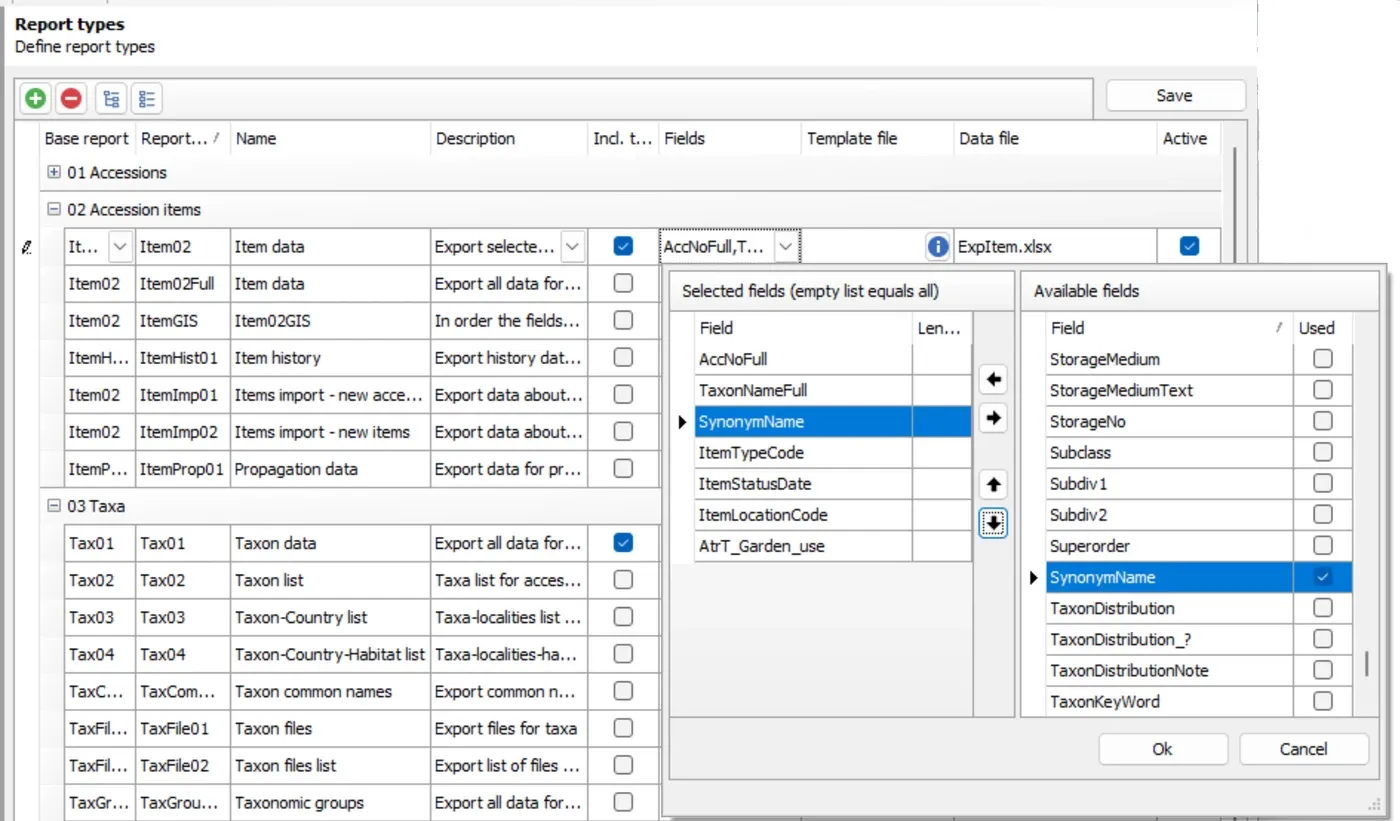
Synonym name has been added as an available field for Acc02 and AccItem02 reports. Learn more on Report types in our Knowldege Library article, Create customized reports [Report types].
Labeling
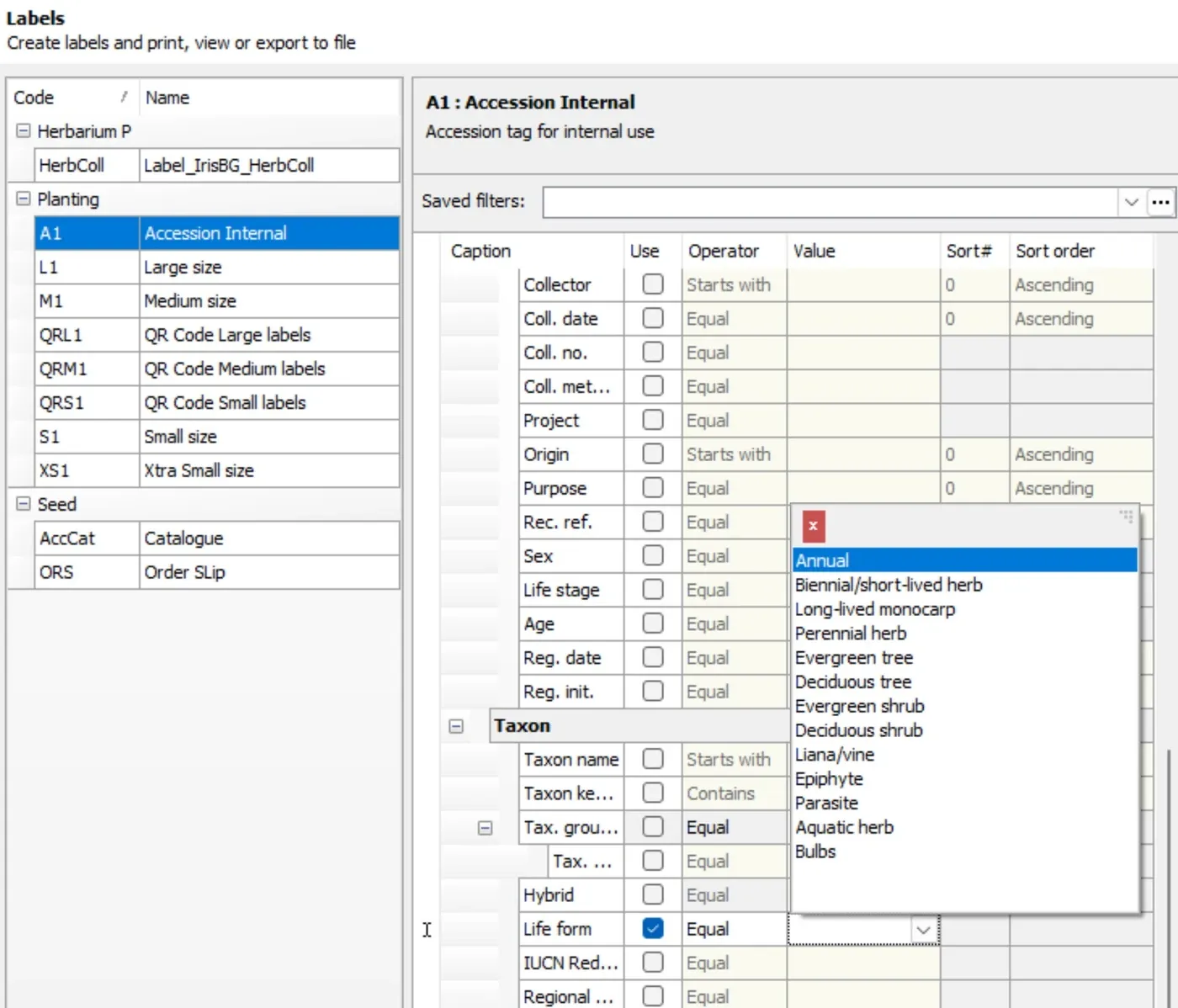
Taxon Life form can now be used as a selection criterion.
Your garden most likely has different label types based on plant life forms. For example, maybe your trees require a wire assembly, while herbaceous shrubs require a stake. This new feature, a recent user request, gives you a way to filter and export label reports for accessions according to taxon life form.
Data import
You can now use Data import to upload images related to new and existing Events.
- Inspections
- Tasks
- Tours
1. The required fields for updating existing Inspections with images are depicted in this template.
| Action | EventNo | InspItemAccNo | EventKind | InspImageFile |
|---|---|---|---|---|
| U* | Specify Event no. | Specify InspItemAccNo | Inspection | Path\Filename for image file. |
2. The required fields for updating existing Tasks and Tours with images are depicted in this template.
| Action | EventNo | EntryName | EntryKind | EntryImageFile |
|---|---|---|---|---|
| U* | Specify Event no. | Specify Entry Name | Specify for Event kind: ex.: Tour | Path\Filename for image file. |
*U = Update
You are now able to update Existing Accession Projects with new references.
Below are the required fields to include in your Data import template for updating existing accession projects.
| Action | AccYear | AccNo | ProjectCode |
|---|---|---|---|
| U | Specify Year | Specify AccNo | * Separate multiple codes by | (e.g. code1 | code2 | code3) ** To keep existing codes, add *| before the codes (e.g. *| code1 | code2 | code3), otherwise existing codes will be replaced. |