 IrisBG
IrisBG 4.5.5.24081: Garden Explorer's Browse page and custom attribute links
By IrisBG Team
- whats-new
In this software update we are thrilled to introduce several significant improvements.
In version 4.5.5.24081, we have implemented two exciting enhancements for Garden Explorer, setting the stage for many more to come.
Expanded selection criteria for various reports will allow for more comprehensive search results. Specifically, users will find more detailed insight into an accession’s label needs, propagation history, and image-related data.
We encourage you to delve into the detailed information and accompanying database screenshots below regarding the updates for Reports, Advanced search, Item Management, Custom attributes, and more.
🌱 Download and install the latest version from our dedicated Software page.
- Important: Please ensure that the new version is installed on all computers used for IrisBG.
- This software requires that you already have a valid license. To discuss the IrisBG package that best suits your garden, contact us.
Garden Explorer
Garden Explorer’s New Browse feature
A new layout with images for taxon lists is now available.
We are excited to introduce a more visual and interactive gardening experience with the enhanced view of plant Names within Garden Explorer, renamed Browse. This new display features image cards of all plants published on your Garden Explorer page, offering visitors a more dynamic and engaging experience. We are implementing the new Browse display across the Garden Explorer platform and will contact you soon.
💻This is not an automatic update. Contact us at hello@irisbg.com to be among the first to use it!
🌱 See these live examples
Belmonte Arboretum | Bonn University Botanic Garden | Cheekwood Estate & Gardens | Coastal Maine Botanical Gardens | The Dawes Arboretum | Jerusalem Botanical Gardens | Kadoorie Farm & Botanic Garden | Hortus Botanicus Leiden | Lincoln Park Zoo | Melton Botanic Garden | Botanical Garden University of Oslo | The Arboretum at Penn State | Santa Fe Botanical Garden | Smithsonian Gardens
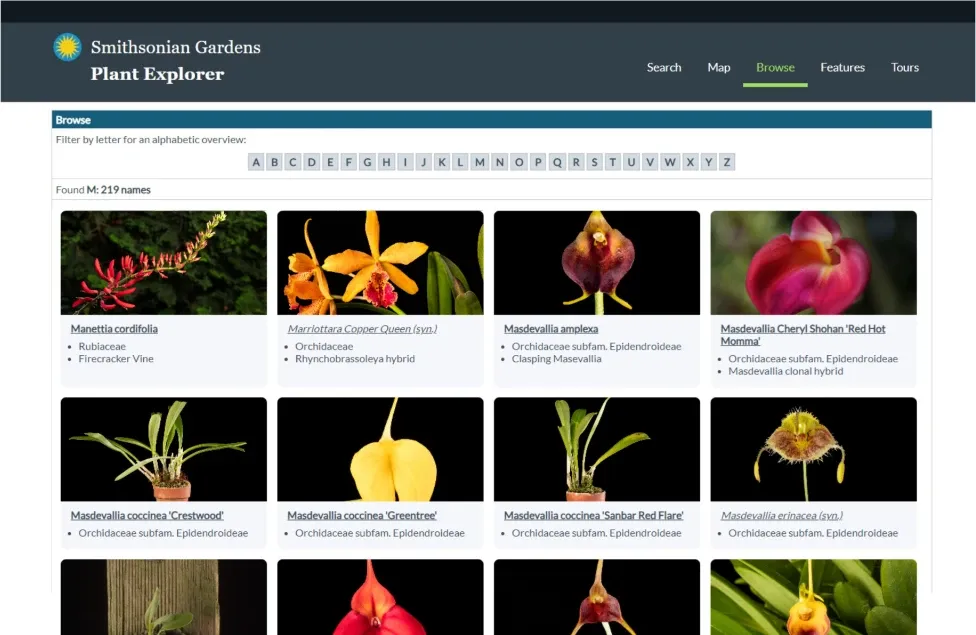
The Browse display, as featured on Smithsonian Gardens’ Plant Explorer
Search Conserved Accession Number
Many gardens have old accession numbers in various formats. When their data is migrated to IrisBG, we reassign the accession numbers with a year-number format. We preserve the previously used accession number by storing it in the Accession screen’s cons. field.
These older accession numbers can now be searched on your Garden Explorer page. Simply contact us to have this search field turned on.
Garden Explorer’s search for accession numbers now includes conserved numbers.
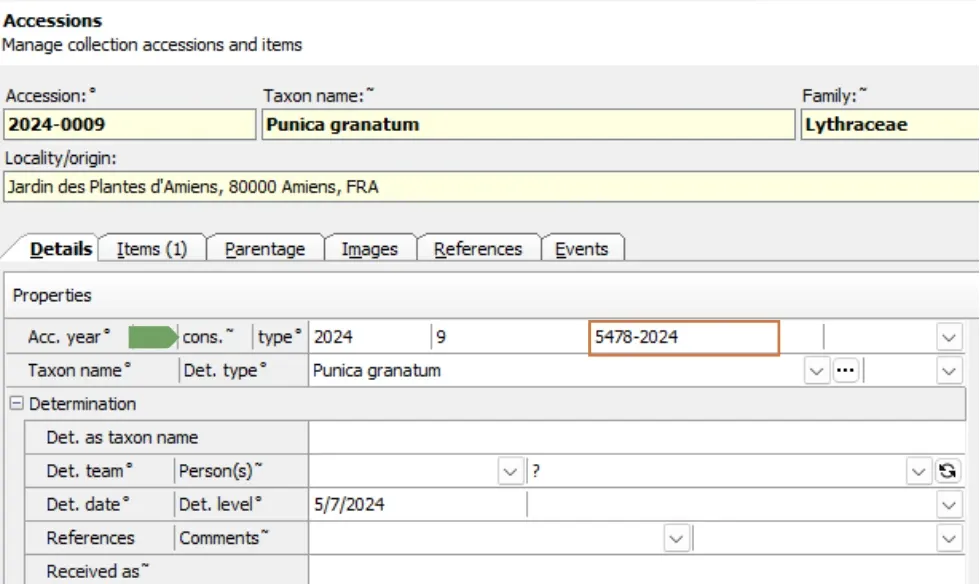
The cons. field | Accessions screen: Details tab
Accessions | Items
In the Accession Items tab, a new field, Description, has been added.
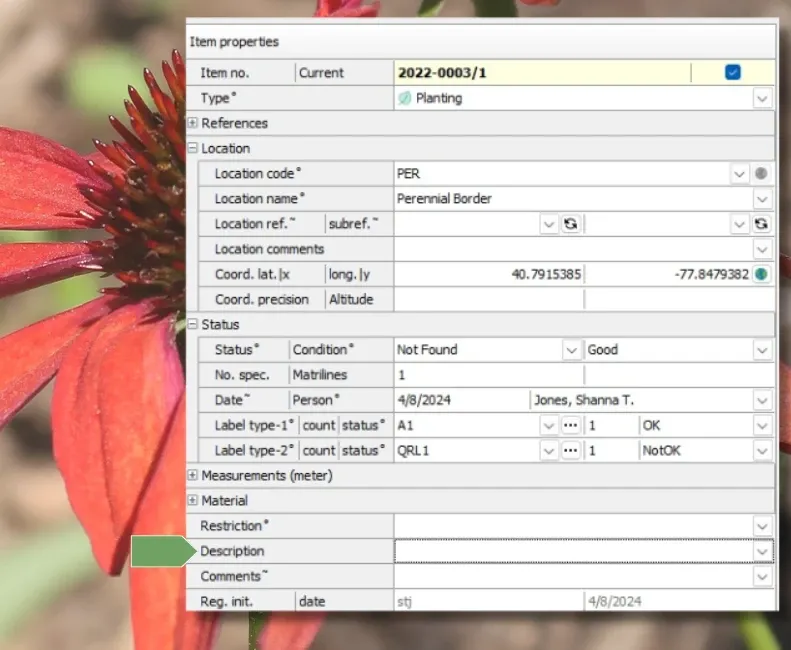
The new Description field in the Accessions screen: Items tab
Labeling
The Label no. field has been renamed to Label count for better usability.
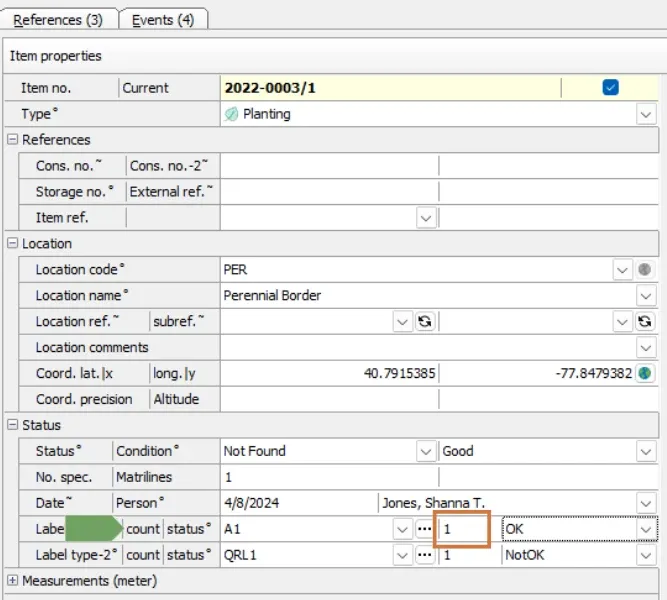
Label count field | Accessions screen: Items tab
Bulk update of Label count is now possible in Item management.
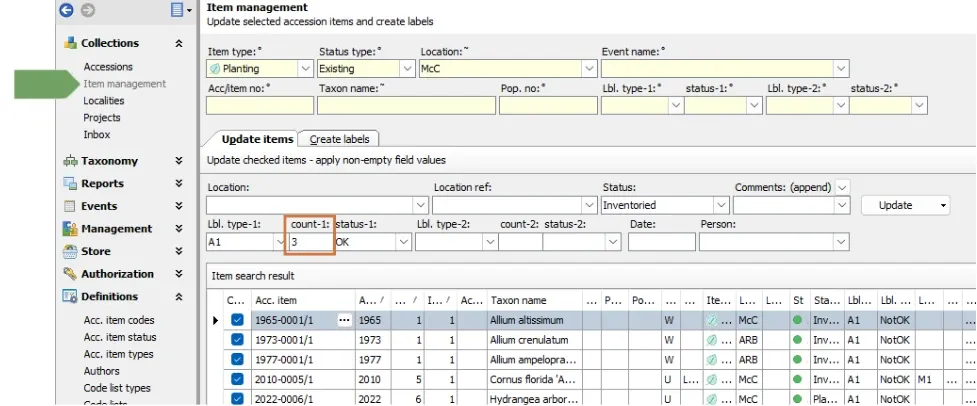
Collections > Item Management screen
Label counts are now available in the Query builder for Reports, Advanced Search, & Item management.
We have added Label count -1 and Label count-2 as search options to enhance label reporting.
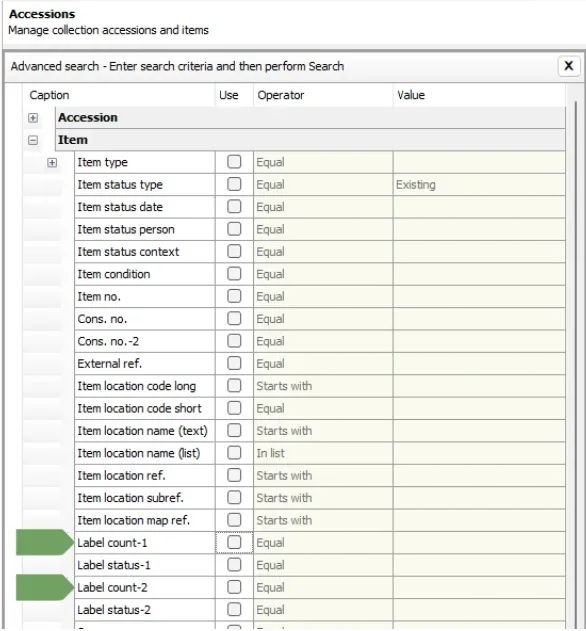
The Label count fields are named Label type-1 count and Label type-2 count.
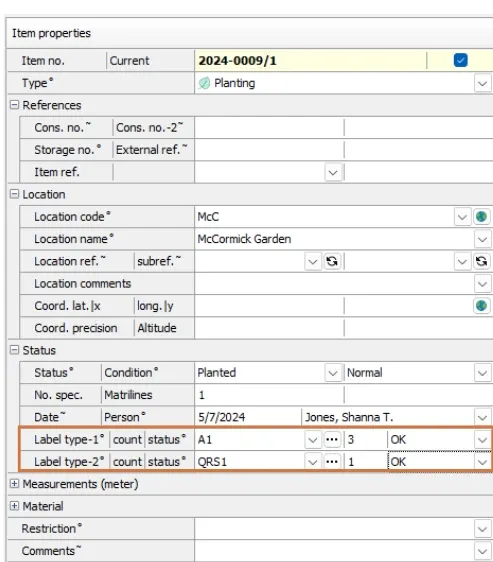
Label count fields in the Accessions screen: Items tab
Labels Reports now include Prep. type and Has coordinates.
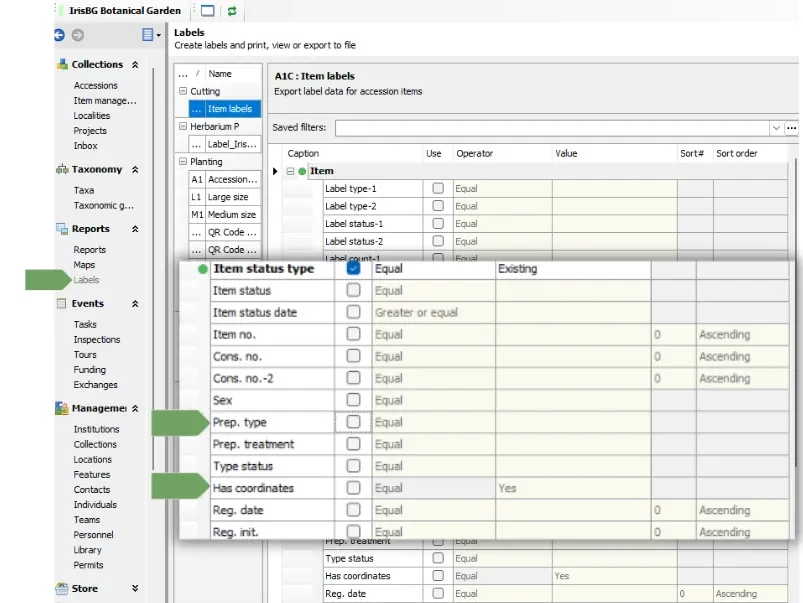
Reports
Accessions Reports
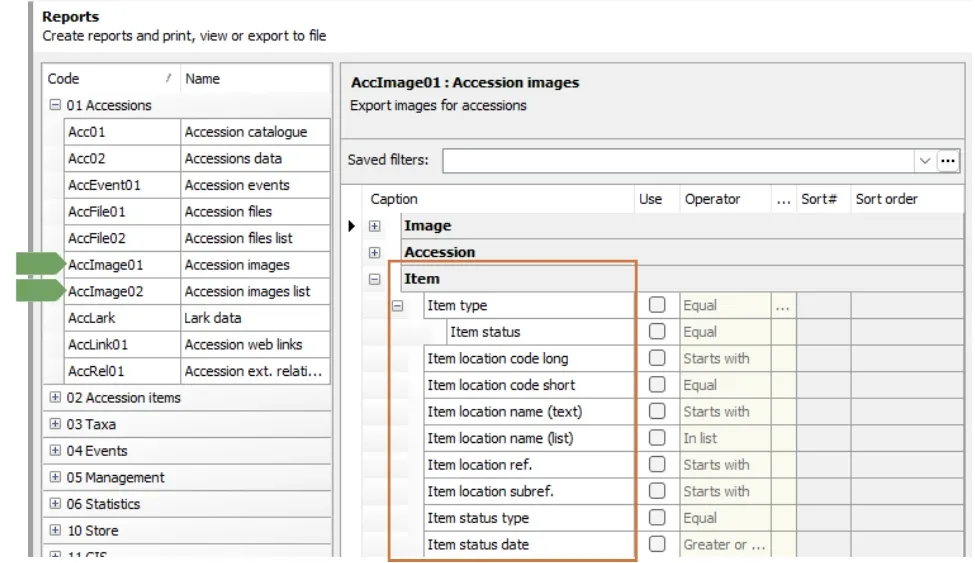
We have added several Accession Item criteria to the Query builder for the reports:
-
01 Accessions: AccImage01 | Accession images
-
01 Accessions: AccImage02 | Accession images list
-
Item type
-
Item status
-
Item location code long
-
Item location code short
-
Item location name (text)
-
Item location name (list)
-
Item location ref.
-
Item location subref.
-
Item status type
-
Item status date
Reports screen showing available Item fields for AccImage01 reports
Accession Items Reports
Data for ItemSpecCount can now be included in the reports:
- 02 Accession items (ItemHist01| ItemHist01: Item history
- 02 Accession items (ItemProp01 | ItemProp01: Propagation data
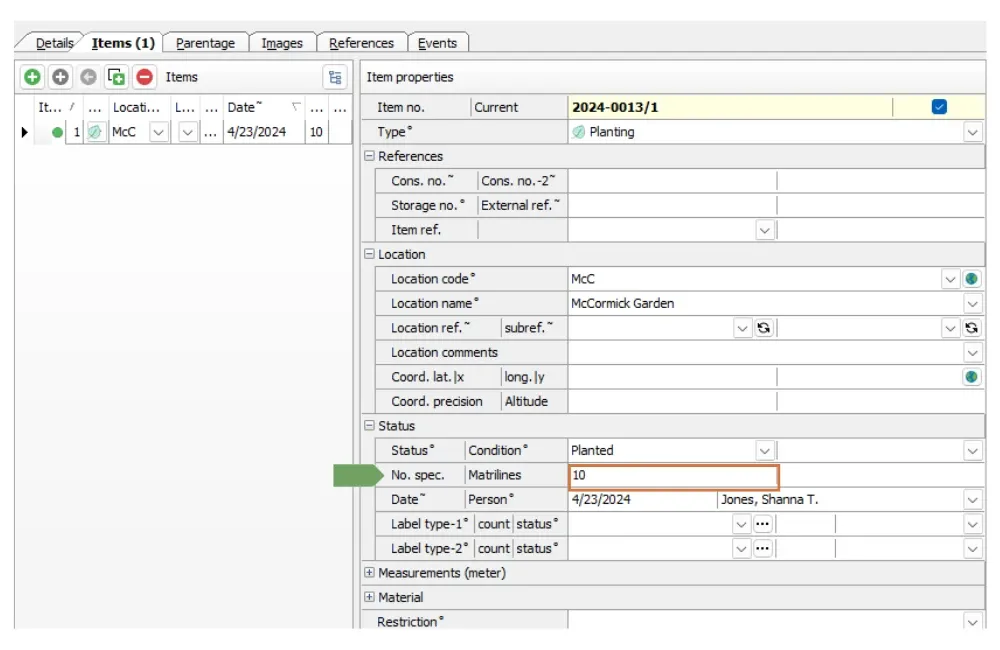
ItemSpeciesCount field | Accessions screen: Items tab
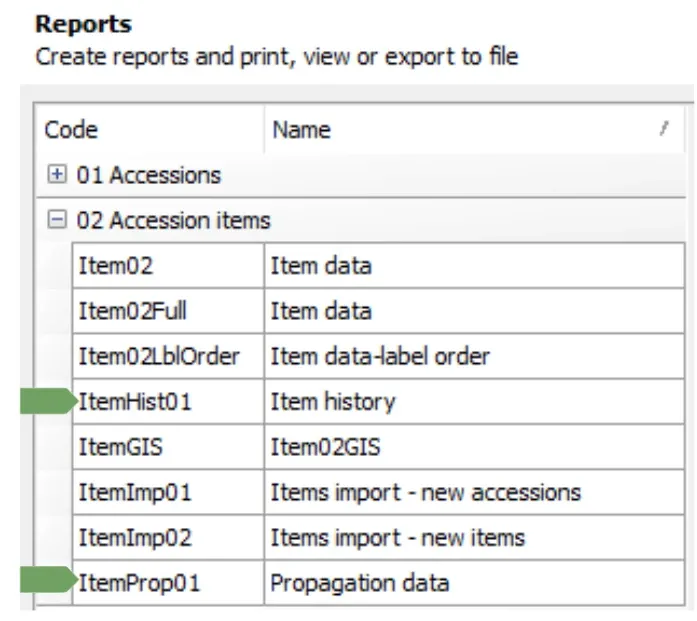
Tracking changes in the number of accession specimens over time can be helpful for statistical analysis and informing collection decisions.
⚠️ In Definitions > Report types, select the field ItemSpecCount to generate the Item Specimen number (No. spec.) with the report.
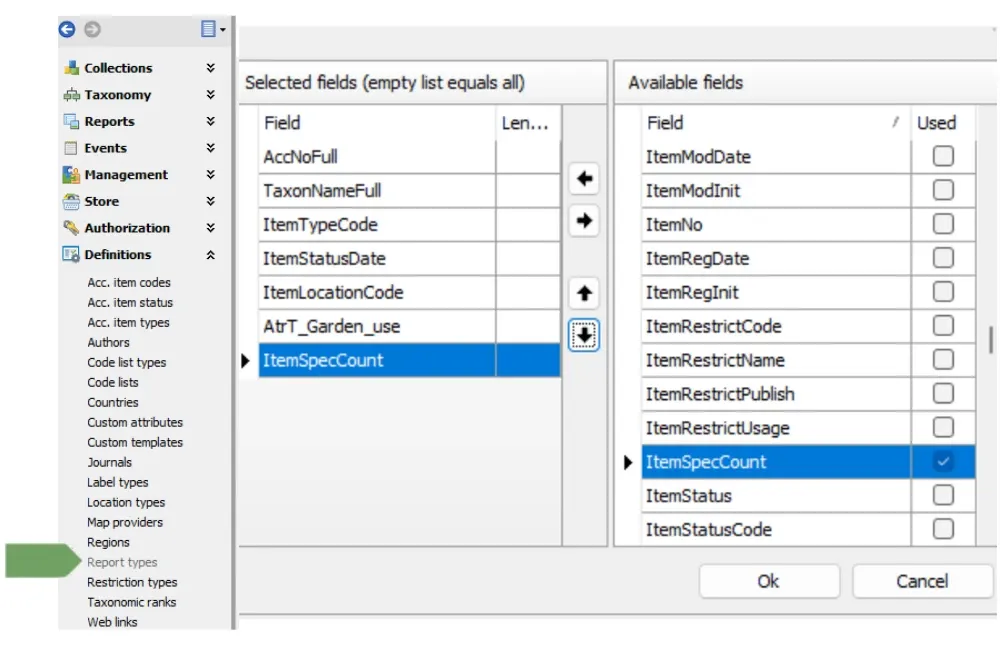
Report types screen showing SpecCount as an available field
The Preparation type field is intended for preserved material.
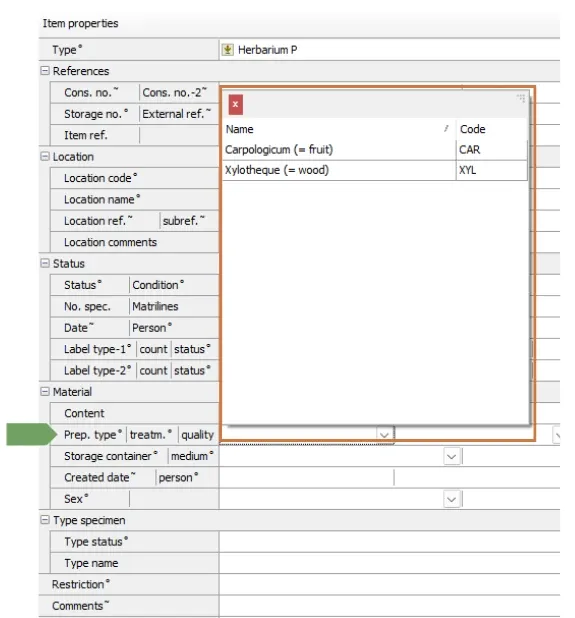
Herbarium collection database | Prep type field, Accessions screen: Items tab
New Report: GIS (Task01GIS) | Task01GIS: GIS Task Data
Tasks organized in IrisBG will be included in the next version of the IrisBG—ArcGIS Sync, allowing you to complete tasks on your mobile device using the ESRI Field Maps app.
Examples of these Tasks include: Garden Inventory, Propagation Requests, and Fertilization.
📲Learn more about the IrisBG - ArcGIS Sync.
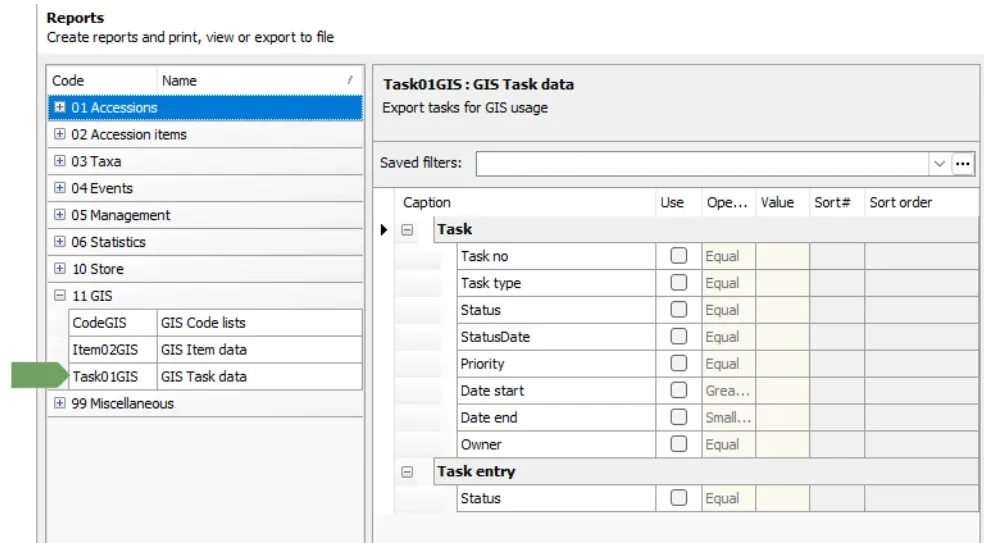
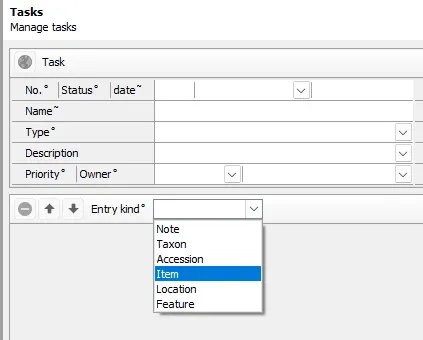
This new report only applies to Task Item entry kinds at this time.
Report Error fix
Locations are now sorted correctly in the Report’s Query Builder.
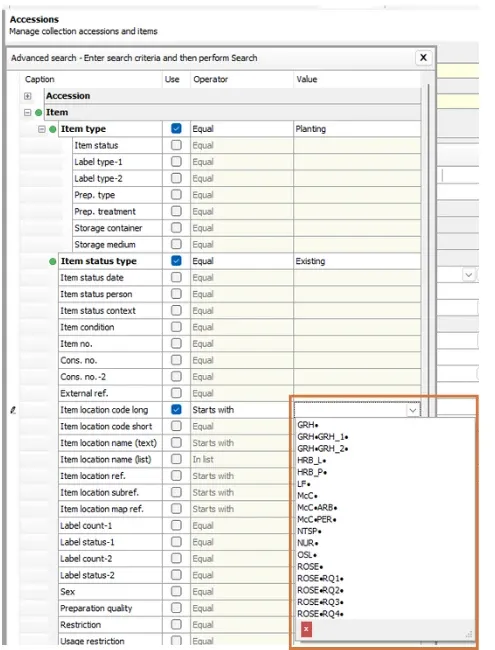
Item Locations are sorted alphabetically in the Query builder dropdown
Reports & Advanced Search
We have added the following Operators for Custom Attributes in Reports and Advanced Search:
-
- In list OR Empty
- Not in list OR Empty
🌱 How is this helpful?
You can now select multiple custom attributes to exclude from Reports and Advanced search outcomes.
Example: Generate a collections report on all existing plants not in the California Natives Collection.
The California Natives Collection is broken down into two codes:
- California native
- California native cultivar
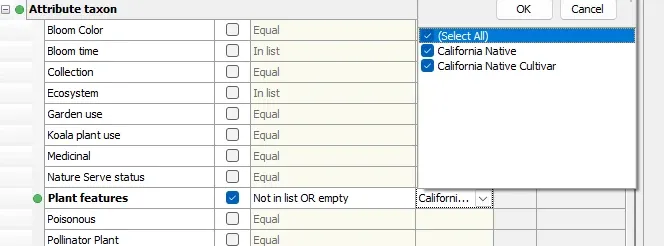
New Query builder operators for Custom attributes, In list OR Empty & Not in list OR Empty
Custom attributes
The maximum length of the Name column has been increased from 20 to 30 characters.
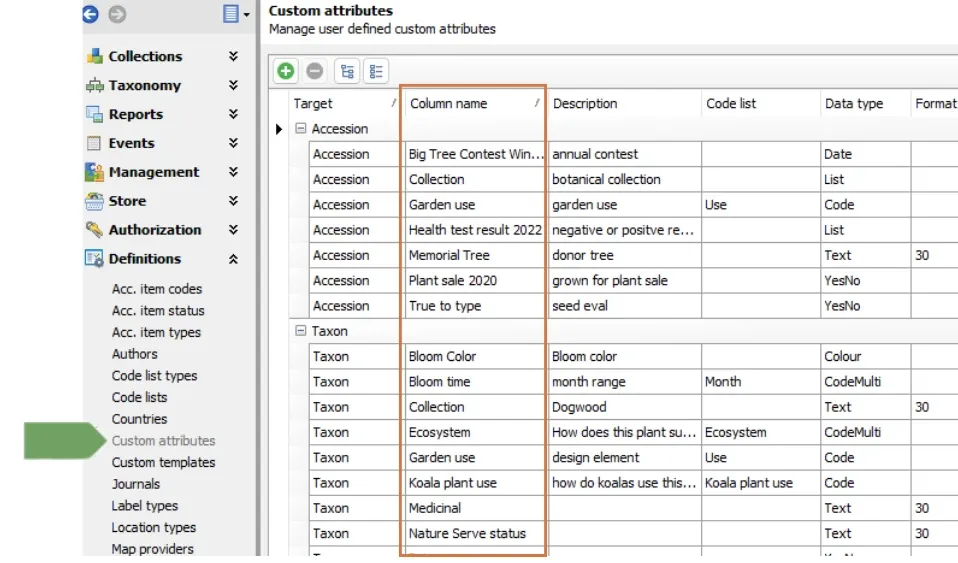
Definitions > Custom Attribute screen showing Column Name fields
WFO verification link
The source we use for the World Flora Online (WFO) Name link field added a date to the verification links, causing them to break when accessing WFO directly. We have fixed this error.
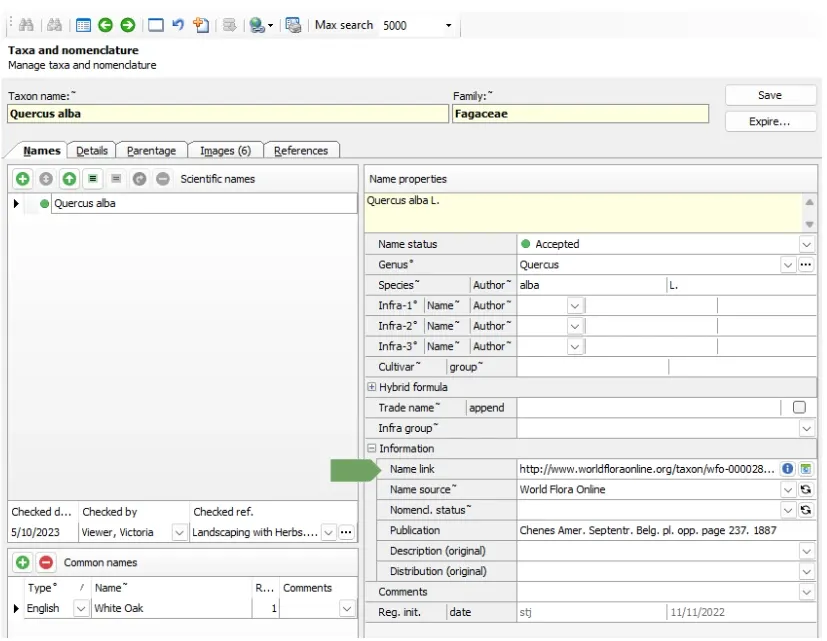
The Name link field in the Taxa screen Names tab
QR code link
The QR code link was not cleared when data was copied to a new taxa.
We have fixed this error.
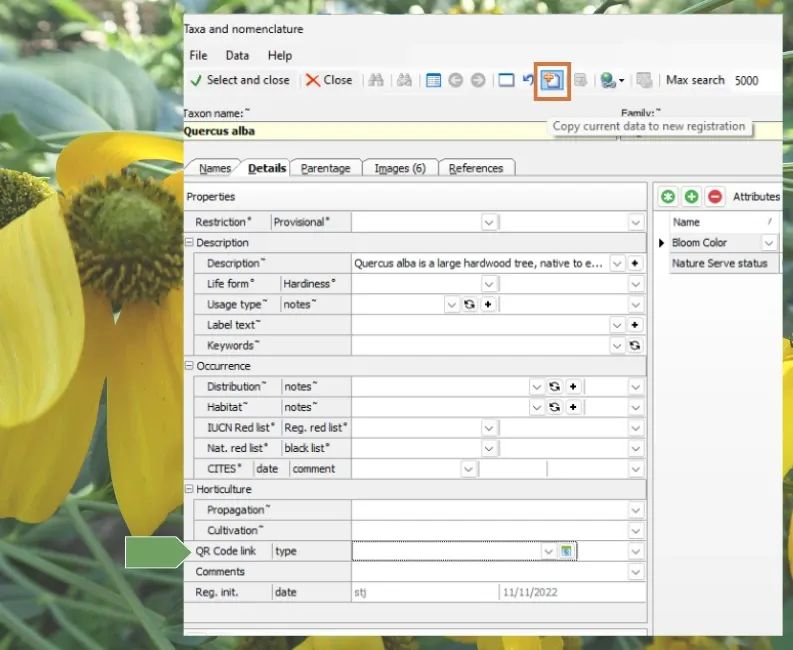
The Copy Current data button (top) & the QR Code link field in the Taxa screen Details tab