 IrisBG
IrisBG 4.6.2.25081: multiple permits, label naming and import fixes
By IrisBG Team
- whats-new
Version: 4.6.2.25081 - date: 2025-08-26
We are pleased to announce the release of IrisBG version 4.6.2.25081, which delivers a series of important fixes and enhancements to strengthen your botanical record-keeping workflows.
🌱 Download and install the new version from our dedicated Software page.
⚠️ Important: Install the update on all computers using IrisBG. A valid license is required.
Accessions
Fix applied
Accessions with multiple permits are now handled correctly in Reports.
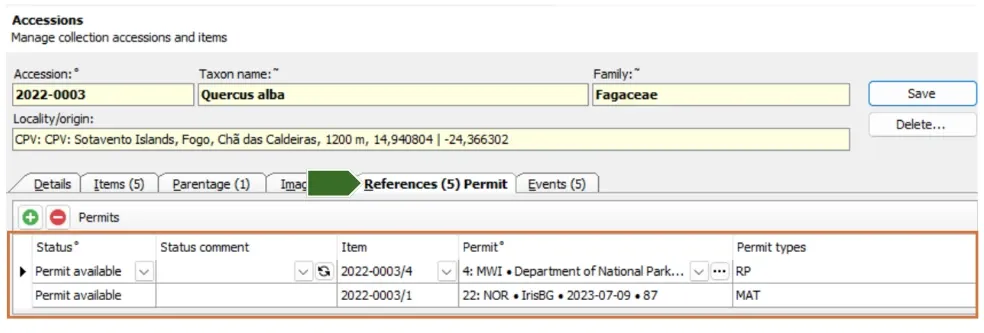
Accession > References screen now properly displays multiple permits related to a single accession.
💡TIP! Permit files must first be added to the Management > Permits screen.
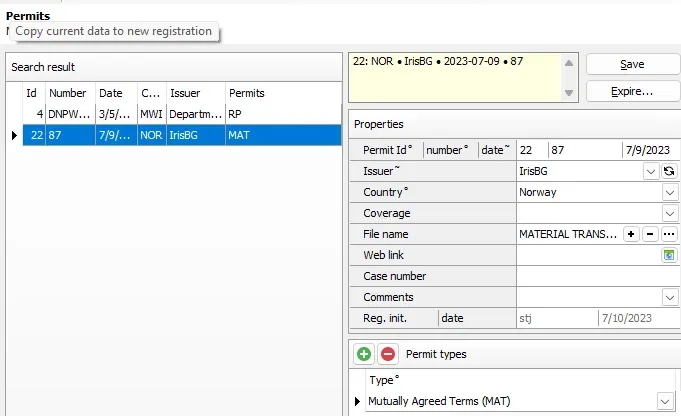
Management > Permits screen
Configurations
Fix applied
We provided a fix for handling Domain names in SSO setup. In the May 5th, 2025 release, we removed the LDAP dependency for Single Sign-On (SSO). Some users later reported issues with domain name handling—this has now been resolved.
Recap of the earlier update:
- Configurations > SSO: LDAP dependency removed.
- Domains and workgroups are supported.
- Existing definitions must be updated.
What did LDAP dependency mean?
Previously, our SSO feature required a direct connection to LDAP (Lightweight Directory Access Protocol). LDAP allows applications to verify user information from a central directory, typically used in large organizations. This limited use to systems with an active LDAP connection.
What has changed?
SSO no longer requires LDAP to function. It can now be configured with a wider range of domains and workgroups.
Can you still use SSO?
Yes—SSO remains fully supported and is now easier to set up. If you already use SSO, simply update your existing configuration.
Steps to configure
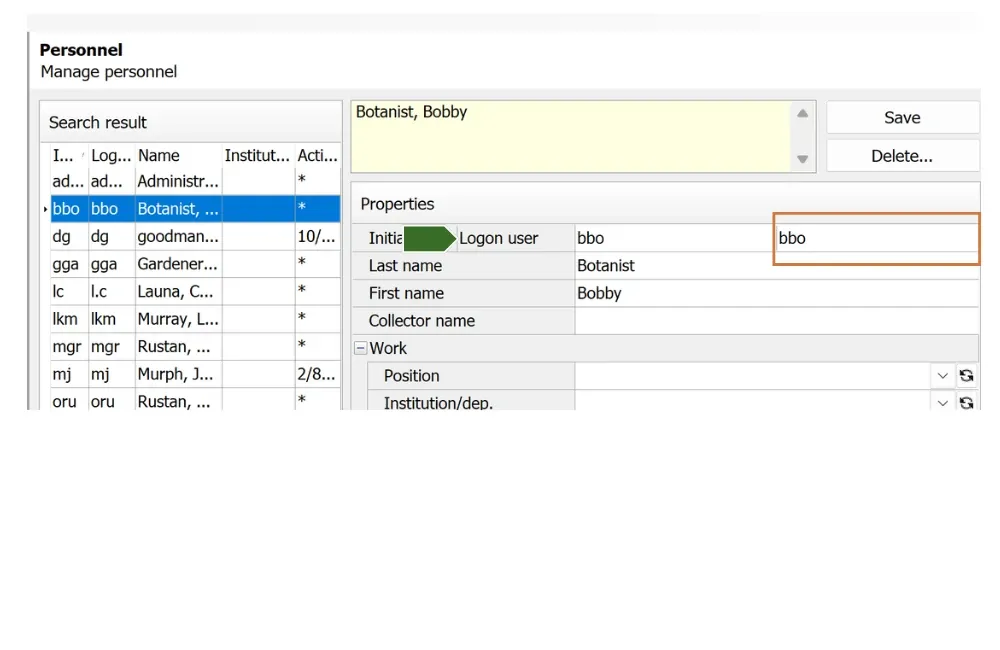
- Verify the “Logon user” in Management > Personnel matches the user who logs into the computer.
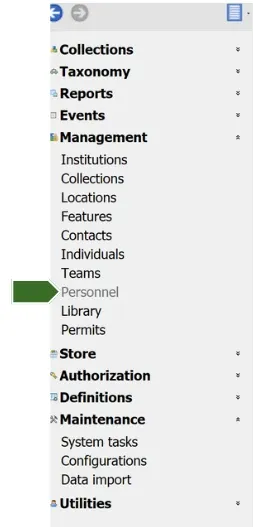
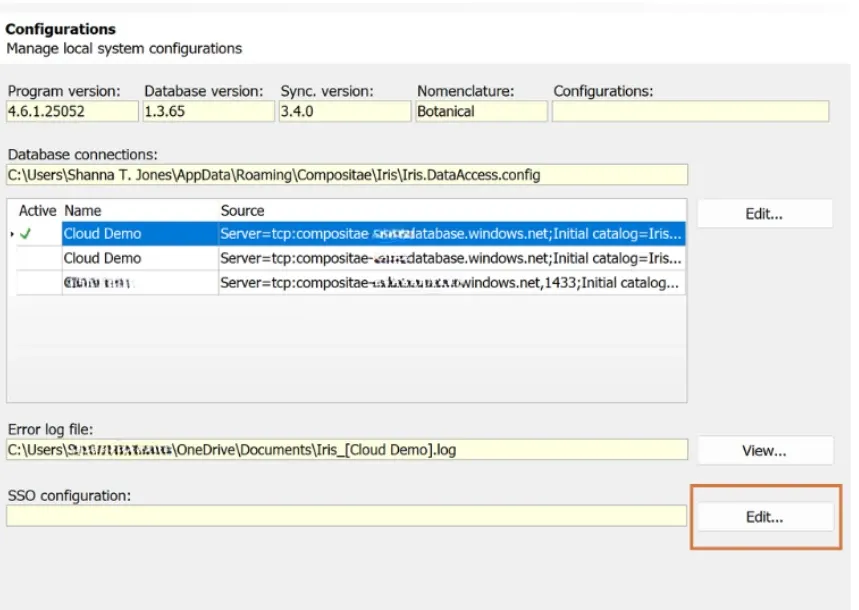
2. In Maintenance > Configurations: SSO configuration, click Edit, enter your domain, and set SingleSignOn to Yes.
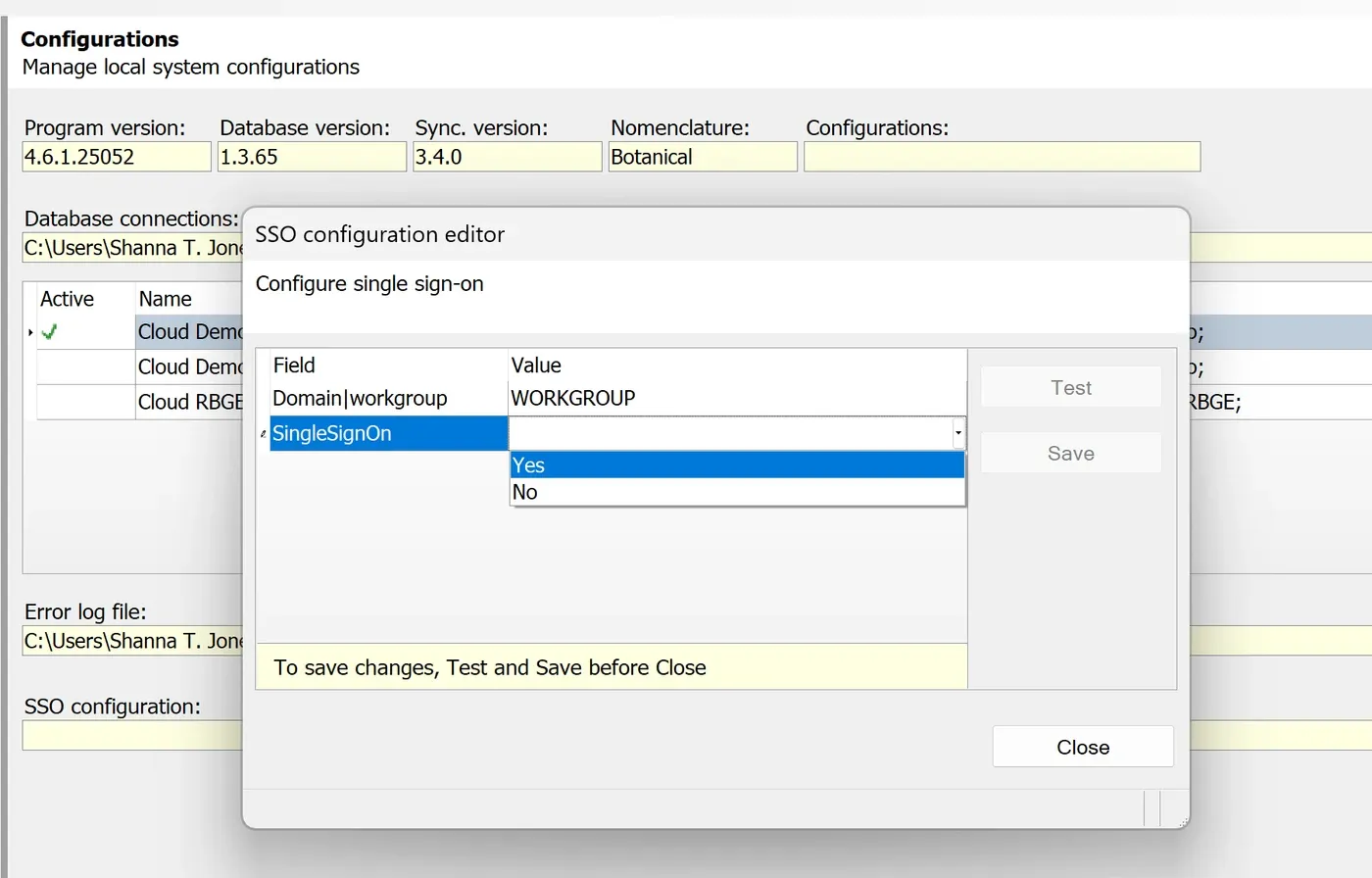
3. Press Test, then, Save.
Data import
Fix applied
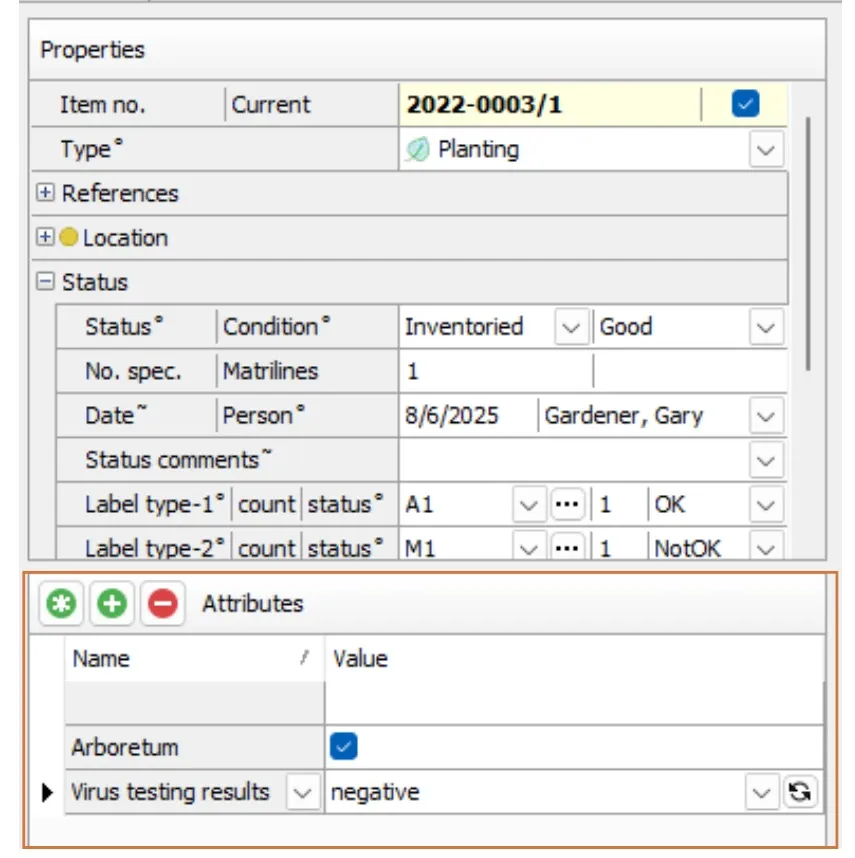
Accession item screen, displaying two item custom attributes
Errors related to the import of Accession Item custom attributes have been resolved.
📑A template for importing Accession Item custom attributes is attached at the end of this article.
Item management
New feature
We added the field, No. spec. (number of specimens) to Advanced Search in both Accessions and Item management screens.
Labels
New feature
We added a new field, InfraCultivar (Infra names + Cultivar name), to Label reports. This helps support label programs that can only process a limited number of fields.
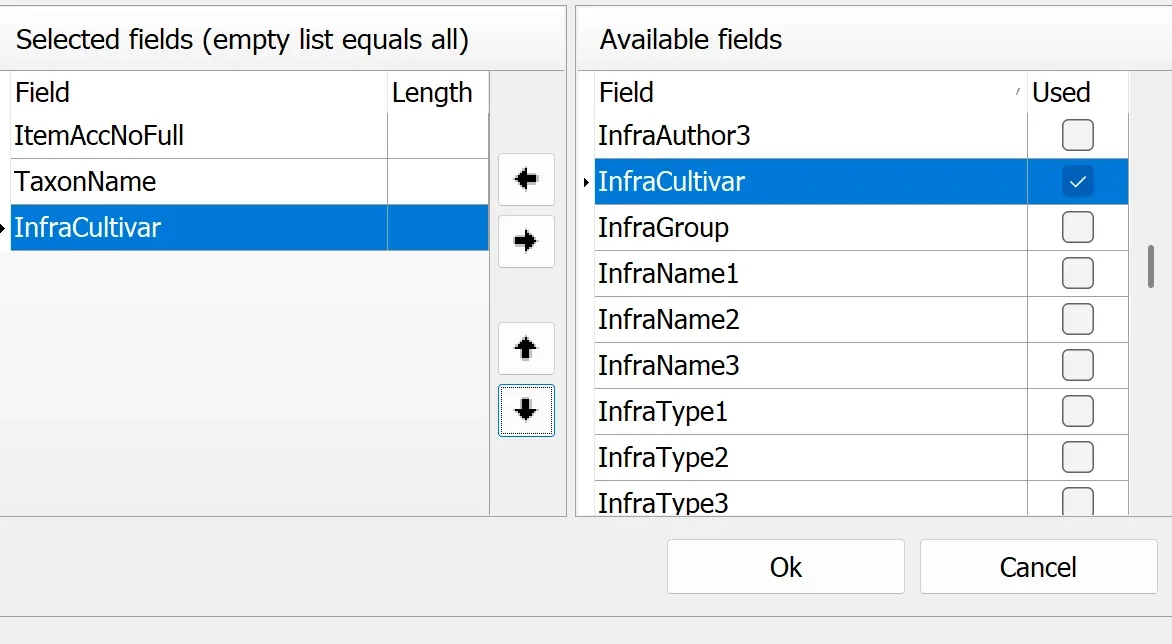
Field selection window in the Label types screen.
Examples of Infraspecific Ranks
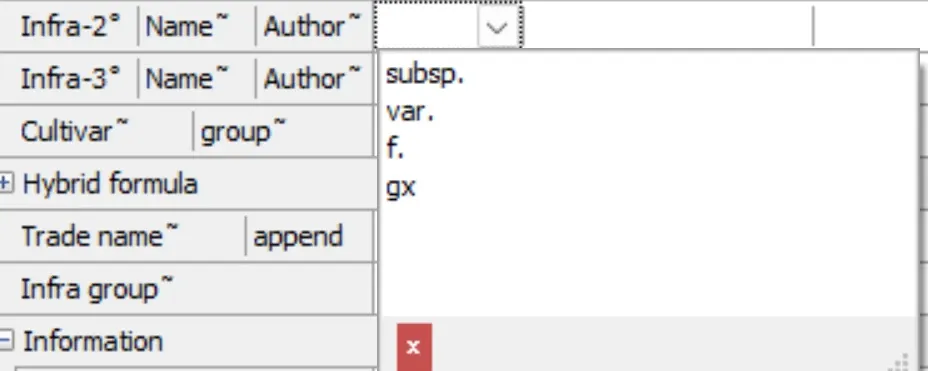
Name fields in the Taxa > Names screen
Subspecies (subsp.): Distinct population within a species, often tied to a geographic area.
Variety (var.): Naturally occurring stable differences from the typical species.
Form (f.): Other natural variations within a species.
Grex (gx.): A hybrid classification commonly used for orchids.
🌱 Example label:
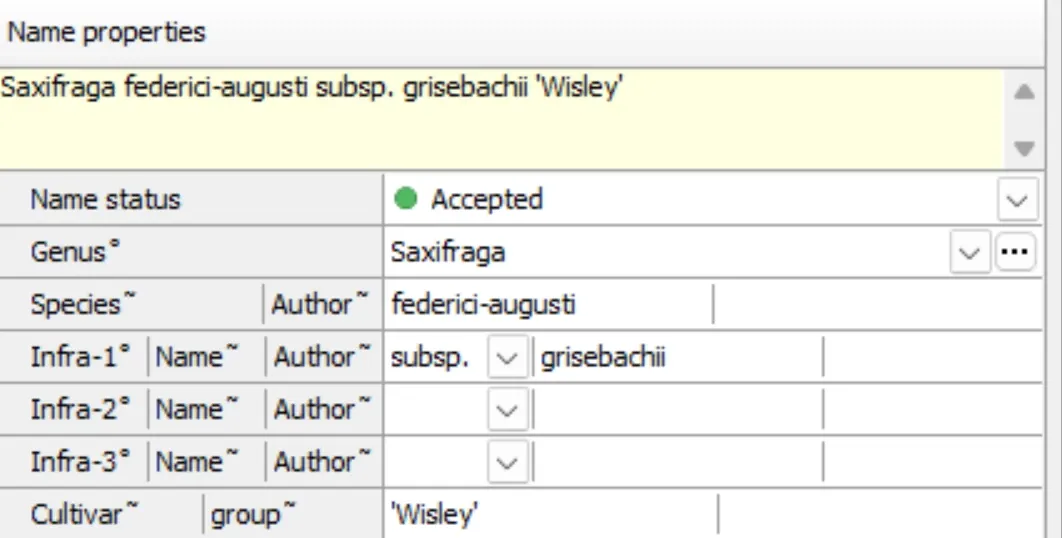
- Species name — Saxifraga federici-augusti
- The abbreviation for “subspecies” — subsp.
- Infraspecific epithet — grisebachii
- Cultivar — ‘Wiley’
Combined: Saxifraga federici-augusti subsp. grisebachii ‘Wiley’
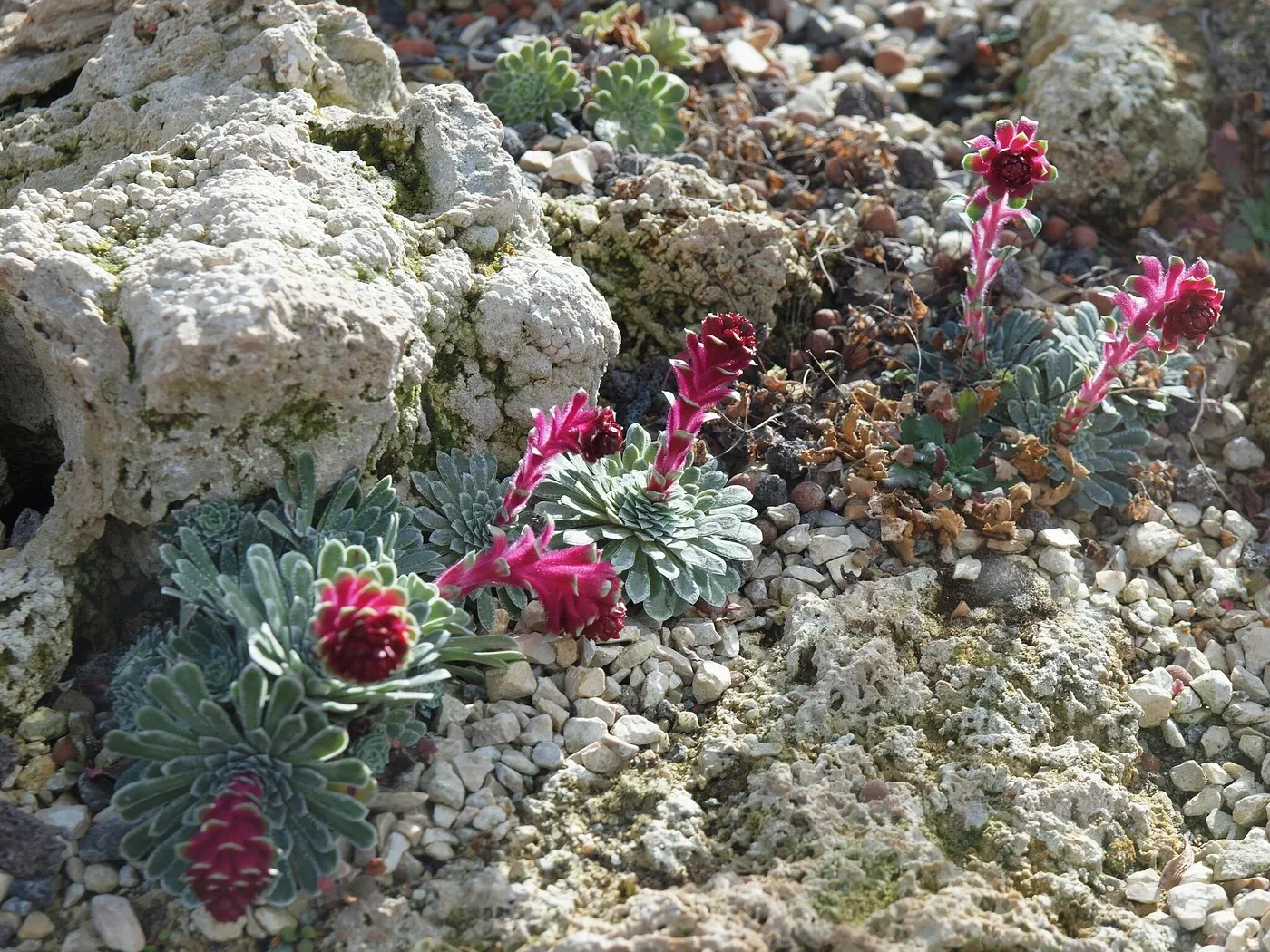
Orjen, CC BY-SA 3.0 <https://creativecommons.org/licenses/by-sa/3.0>, via Wikimedia Commons
Reports
Enhancement
We added new search criteria to the following reports:
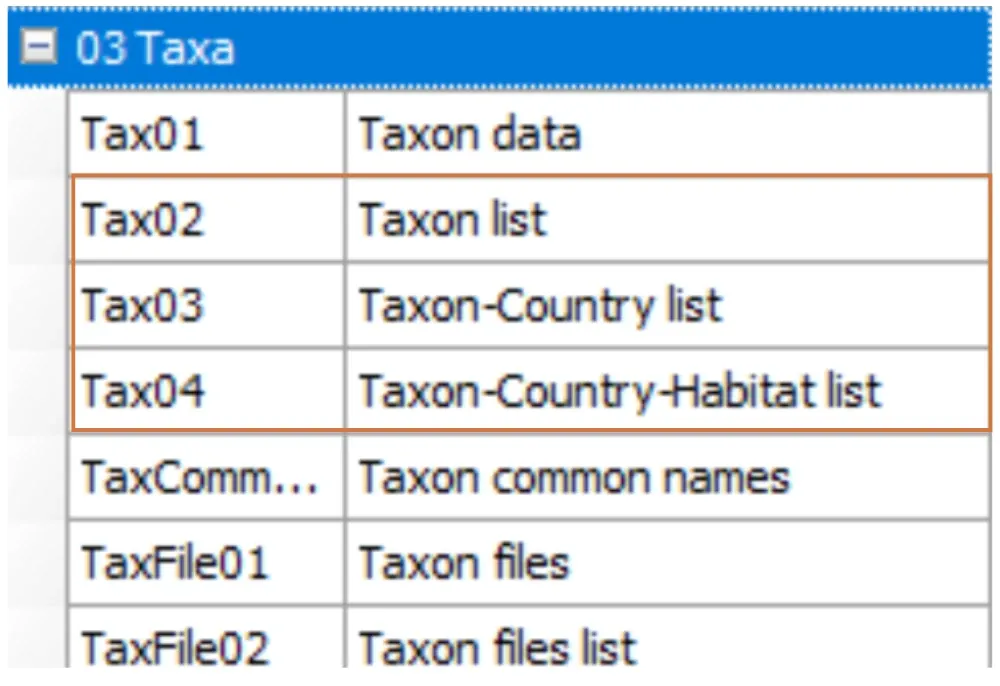
- Tax02
- Tax03
- Tax04
Newly added search criteria
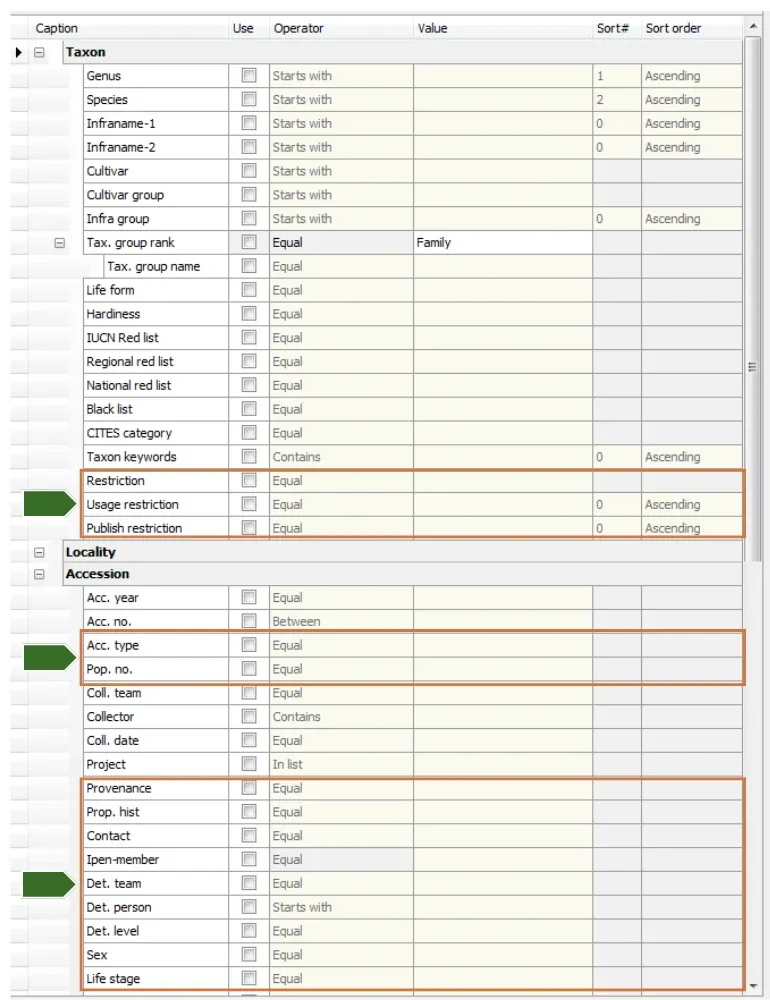
Reports Query builder for Tax02 report.
Taxon fields
- Restriction
- Usage restriction
- Publish restriction
Accession fields
- Acc. type
- Pop. no
- Provenance
- Prop. hist
- Contact
- Ipen-member
- Det. team
- Det. person
- Det. level
- Sex
- Life stage
Accession Item fields
Many new fields available, though not pictured.
Taxa
Enhancement
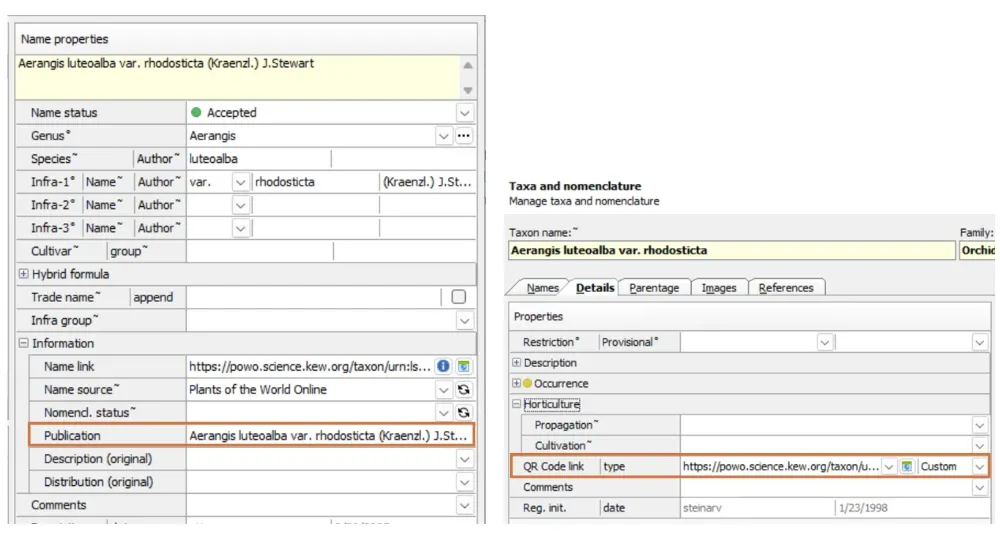
New filtering option—Taxa searches can now be limited to plants presently in your collection.
Advanced Search: Added new criteria:
- Publication (from Taxa Names > Information group)
- QR Code link
- QR Code type
💡TIP! This is particularly useful for identifying taxa published to the web. Use the search option “Is not empty” for QR Code fields to generate a list of all taxa currently published.
Thank you!
We hope these new features and fixes help support your vital work in stewarding plant collections.
🌱 Questions or feedback? Please reach out to our team- we are always glad to hear from you.