 IrisBG
IrisBG 4.7.1.25123: a new item status type and list layout options
By IrisBG Team
- whats-new

Version: 4.7.1.25123 - date: 2025-12-17
We are pleased to announce the release of IrisBG version 4.7.1.25123, which delivers a variety of new enhancements and important fixes across several key areas of the system. Many of the refinements included here address specific workflows shared with us by gardens, arboreta, and research collections around the world.
Whether you are preparing accessions, managing seasonal plantings, importing field data, or publishing to the web, these improvements are designed to help make your record-keeping clearer, more accurate, and more efficient.
🌱 Download and install the new version from our dedicated Software page.
⚠️ Important: Install the update on all computers using IrisBG. A valid license is required.
Accessions
New Item Status Type: [Erroneous]
We added a new Item Status Type — [Erroneous].
This status is intended for registrations that you may have entered in error, but want to retain for reference (for example, preserved material or internal audit purposes).
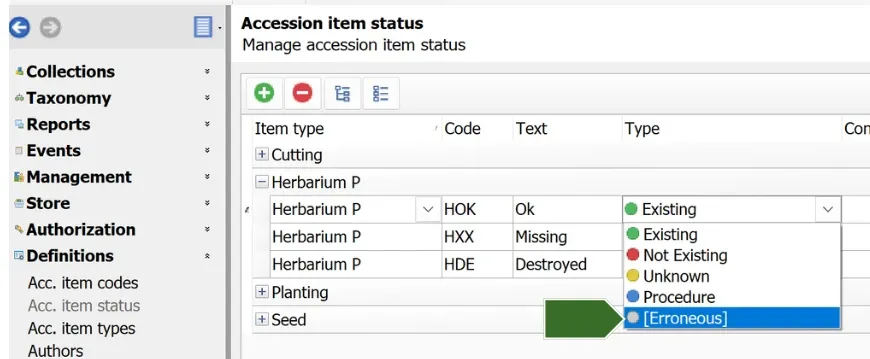
Definitions > Acc. item status screen
Fix applied
Long Location codes now display correctly in search results.
Location codes were truncated in Accessions and Item Management search grids, showing only the last three characters. We have corrected this.
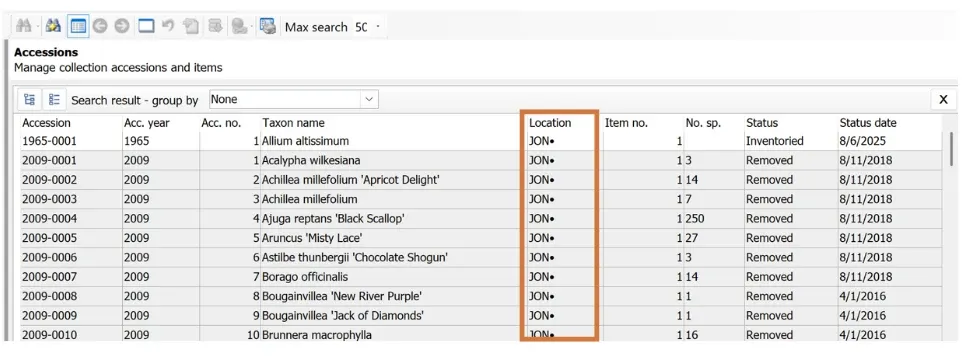
Accessions screen search grid
Fix applied
You can now block access to protected contacts from the Accessions screen
We resolved an issue preventing users from restricting access to protected Contact records directly from the Accessions screen. Users without permissions to Contacts with Protected status will no longer have access to them from the Accessions screen.
🌱 Protected contacts now behave consistently across all relevant screens.
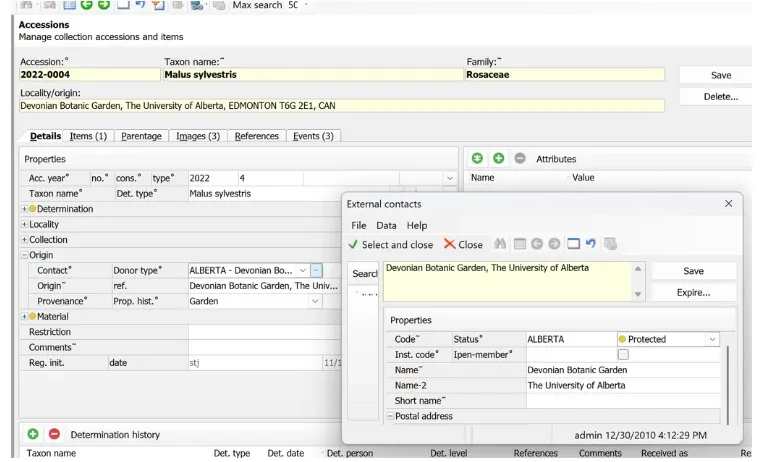
Collections > Accessions Details screen
Localities
Fix applied
We made it possible to enter decimals in the Localities: Altitude field.
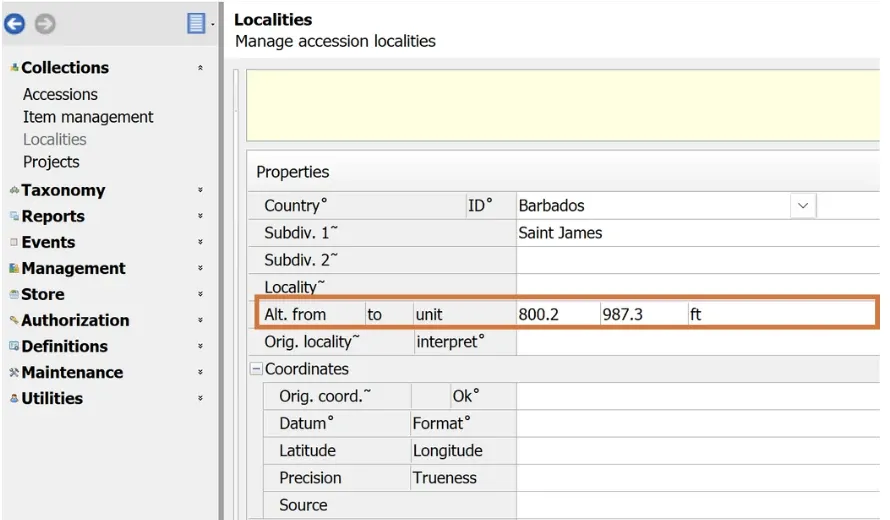
Collections > Localities screen
Data import
Fix applied
We corrected the handling of HybridParentName.
During Data Import, Taxon names containing HybridParentName were not processed correctly. We have fixed this bug. Now, hybrid naming structures import as expected.
Events
Enhancement
We made the field “Origin ref.” available for Exchange packing slips.
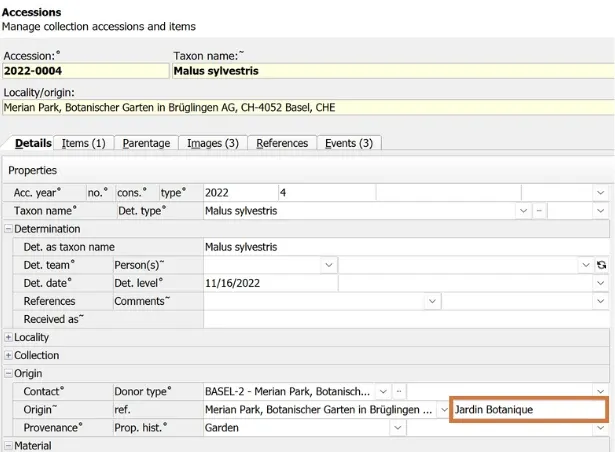
Collections > Accession Details screen
“Origin ref.” data from your Accession records can now be included in Exchange packing slip templates.
This supports institutions that track source references as part of their material exchange documentation.
Garden Explorer
Enhancement
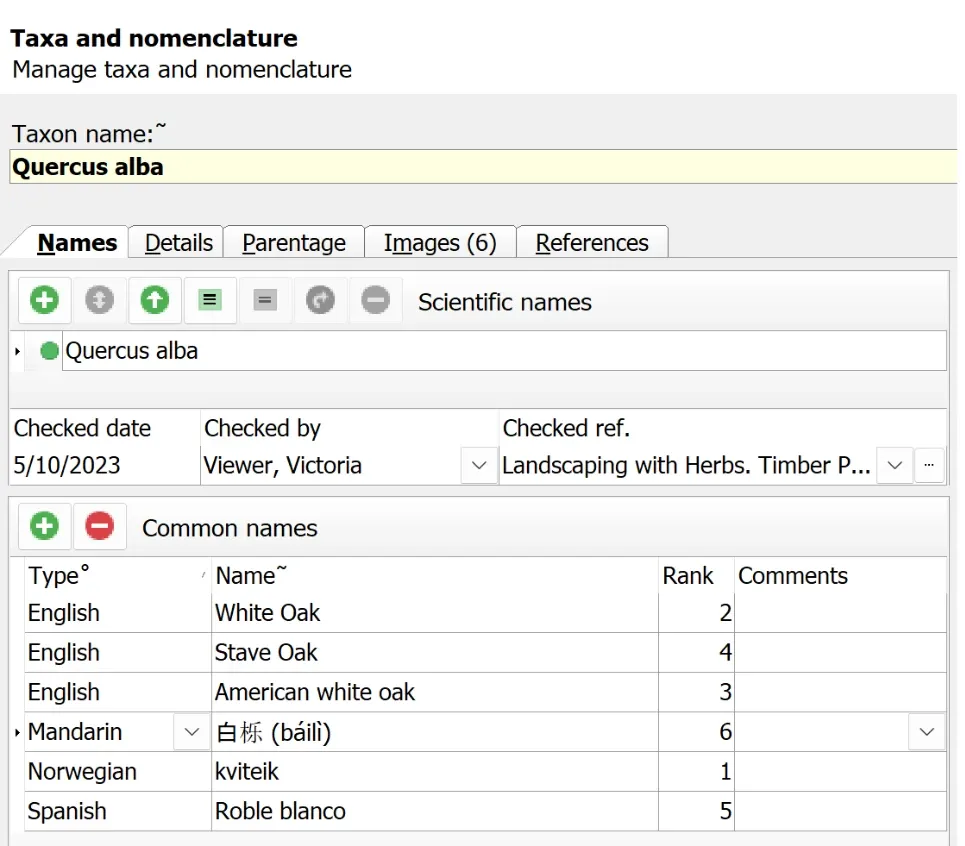
Taxonomy > Taxa Names screen
We added new common-name ranking rules for visibility and search.
This refinement to common-name ranking logic allows you to adjust how names appear to the public. Plant collection managers can now hide outdated common names, while keeping them discoverable by search.
🌱 Updated rules:
- Rank 0–9: Searchable and visible
- Rank 10–19: Searchable, but not visible
- Rank ≥ 20: Excluded
Item management
New feature
We made “Received as” available for the Item management list.
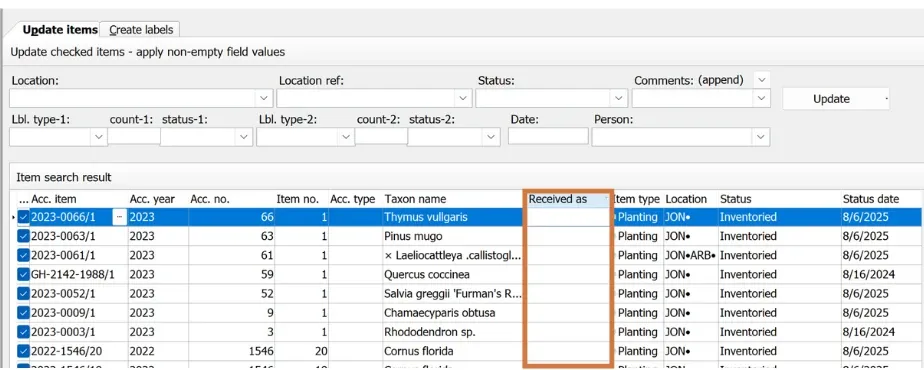
Collections > Item management screen
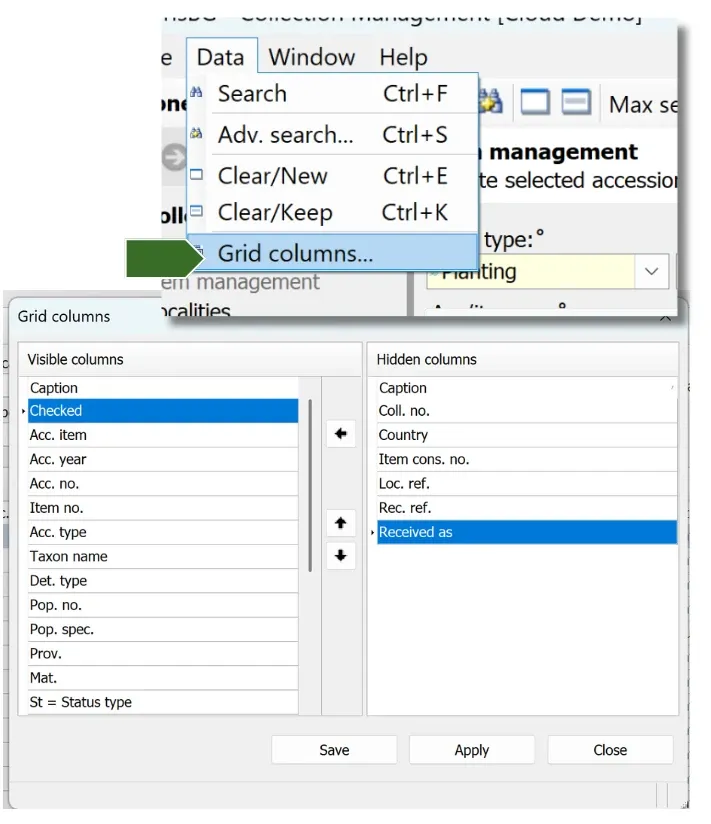
🌱 The “Received as” field can now be added to customized grids in Item Management and Accessions.
This supports teams who may record data captured at time of receiving — such as a plant’s Series Name — in this field. Its placement in the search grid allows quick access to the field’s information without the need to run a report.
Reports
New field added
We added the field option, Contact.Address3 to report templates including Exchange reports.
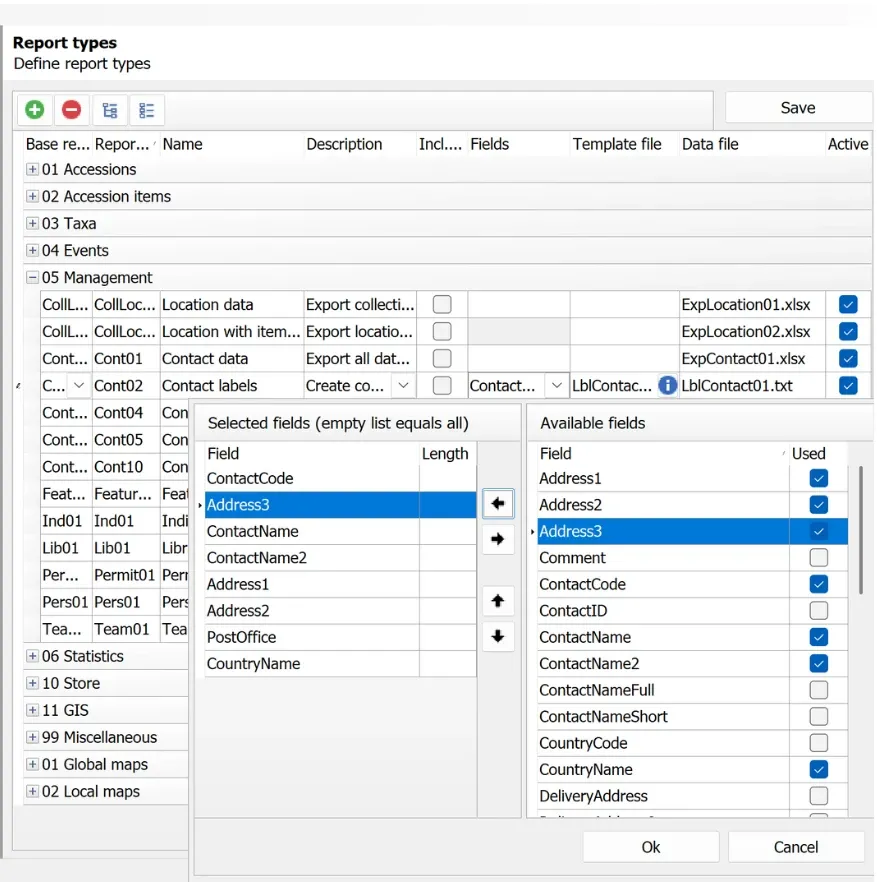
Definitions > Report types screen
New fields added for Labels
We made two new Taxon fields available for label printing:
- TaxonPropagation
- TaxonCultivation
These allow more detailed horticultural information to be printed on labels when needed.
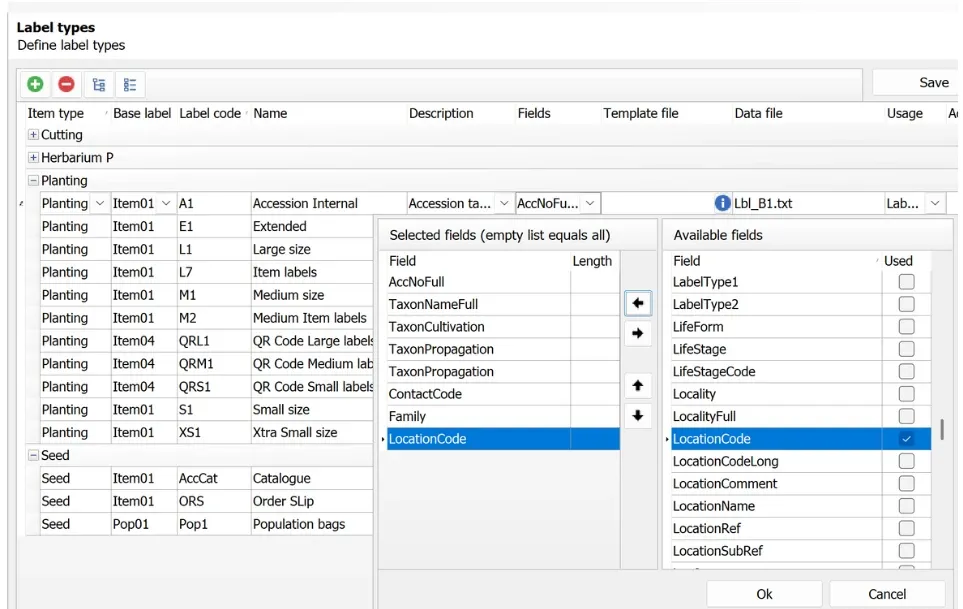
Definitions > Label types screen
Fix applied
We applied a fix to Report filters and IrisTask. Custom attributes are now handled correctly in both of these IrisBG functions.
The IrisTask is used by IrisBG’s Task Scheduler and directly during the data syncing process with ArcGIS.
⚠️ Important: Filters using Custom Attributes must be recreated to function correctly after this update.
For more information about IrisTask, see Administration > Background tasks in the IrisBG > Reference Guide in your IrisBG software.
New search field added
We added the field “Existing on date” to the query builder for the following reports:
- Acc02 – Accessions
- Item02 – Items
- Tax02 – Taxa
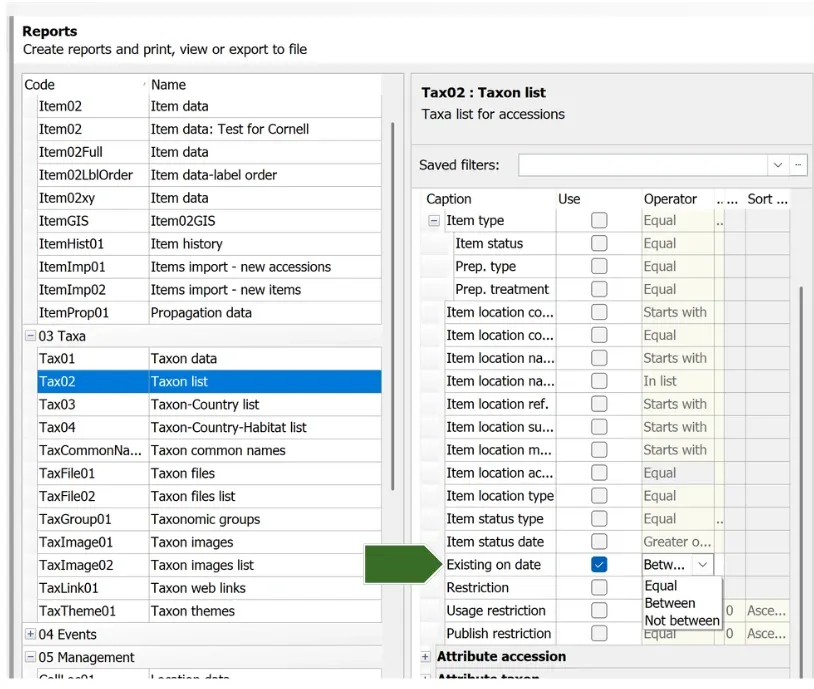
Reports > Tax02 report query builder
This allows users to generate reports showing the state of the collection as it existed on a specific date.
Reminder
Check “Item status type” in your report filters
Following this update, please verify that Item status type is set correctly in any saved report filters.
System tasks
Enhancement
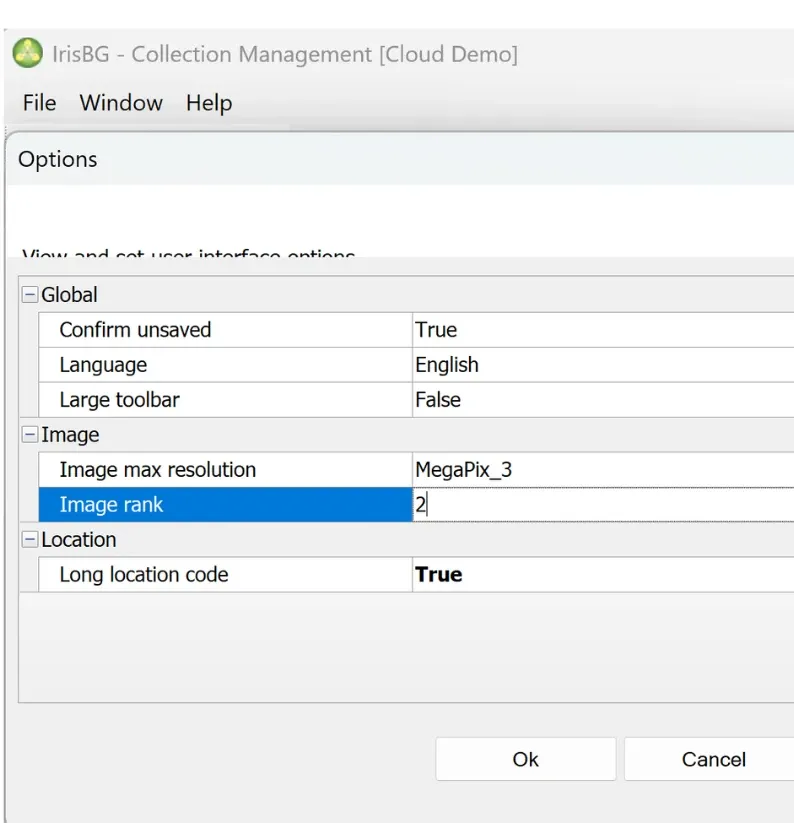
Maintenance > System tasks screen
The image rank users have set in File > Options is now being used during Data Import.
This also resolves a ranking issue for images imported with the IrisBG–ArcGIS Mobile.
Taxa
Fix applied
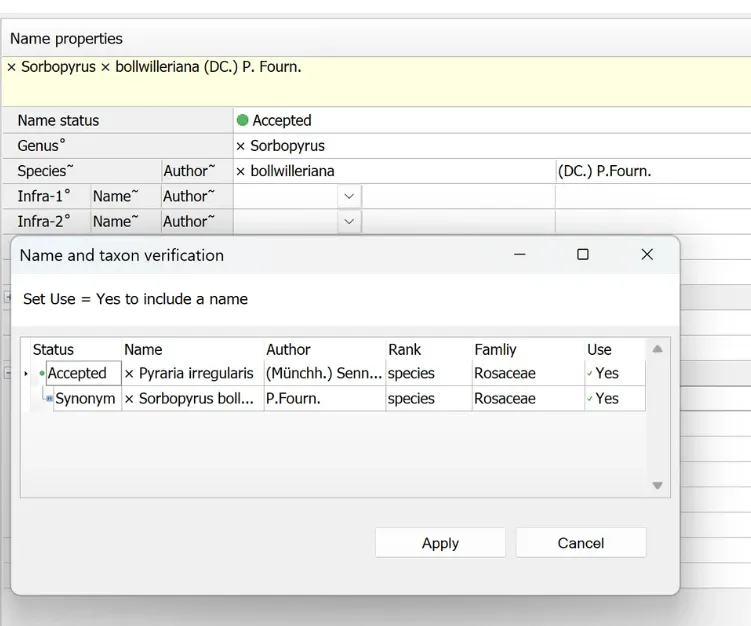
Taxonomy > Taxon Names screen
Hybrid taxon name link checks corrected
We resolved an issue affecting validation of hybrid taxon names.
This fix ensures proper name linking in the Taxa screen.
Task scheduler
Fix applied
We addressed a Task Scheduler issue.
IrisTask sessions now close properly after the scheduled task is completed.
Thank you!
We hope these new features and fixes help support your vital work stewarding plant collections.
🌱 Questions or feedback?
Please reach out to our team — we are always glad to hear from you.